Meeting or Broadcast? Choosing the Right Format for a B2B Online Event
摘要: Choose meeting or broadcast formats by speaker roles, collaboration, viewing experience, and follow-up needs with POLYV.
B2B teams often begin platform selection by asking how many people will attend. Yet two events of similar size may require very different experiences: one has a few speakers addressing an audience, while another requires participants to discuss problems and share materials. Headcount alone does not describe the work.
Choose between meeting-style collaboration and broadcast-style delivery by examining speaking roles, participant relationships, and follow-up workflows. Frequent discussion calls for collaboration and moderation controls; speaker-led events require clear viewing, registration, and interaction paths. POLYV offers webinar and enterprise live-streaming products that can be evaluated against these tasks.
01 Define what each participant needs to do
Separate hosts, scheduled speakers, invited contributors, and general viewers. Specify who needs a microphone, screen sharing, questions, or material submission. This role map reveals whether the event is primarily collaborative or presentation-led.
Customers discussing implementation methods may need to describe their environments and respond to one another. A public industry presentation may rely on a host and expert, with viewers submitting questions. The former emphasizes collaboration; the latter emphasizes presentation clarity and organized audience input.
Decide whether viewers can speak at any time or only during designated segments. If participation is limited to one segment, test requesting, granting, and ending that access. Mixed formats work best when transitions have clear rules.
02 Evaluate collaboration depth
A statement such as “supports live audio and video participation” does not explain the operating model. Check who can invite speakers, control audio and video, transfer hosting responsibilities, and switch shared materials. Verify the experience on the intended devices.
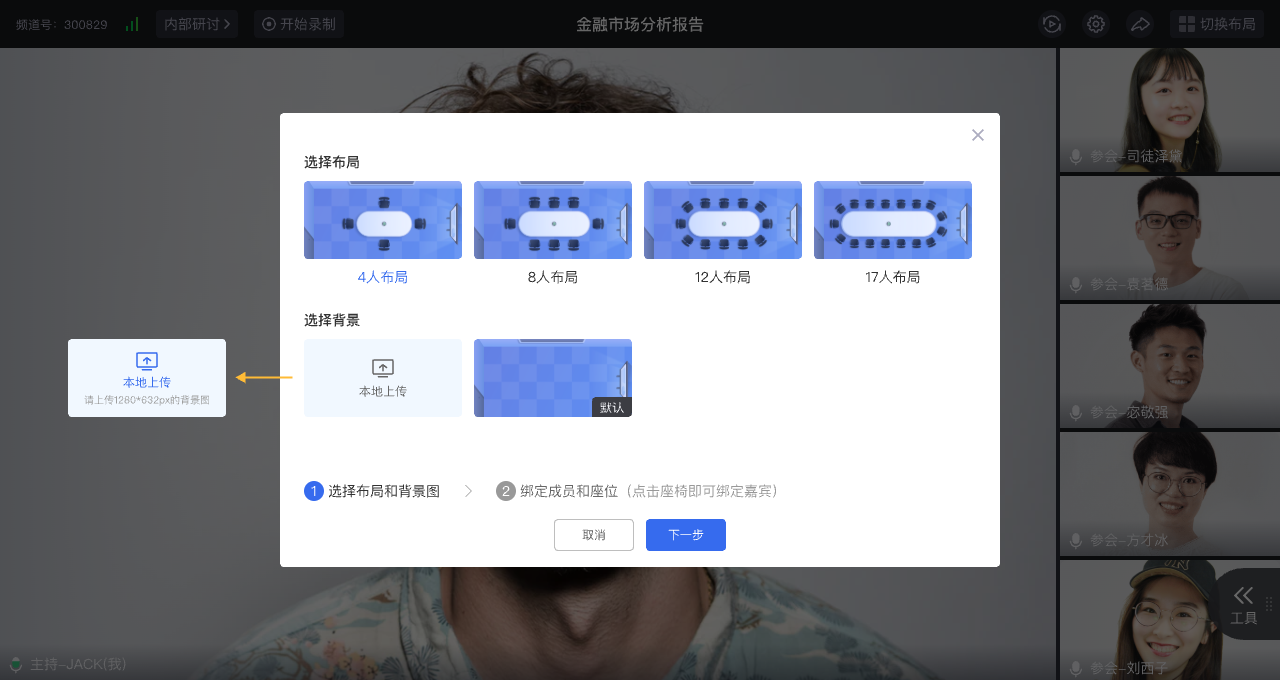
POLYV’s webinar materials describe document and desktop sharing, multi-person audio and video, breakout discussions, and co-host collaboration. Teams requiring sustained discussion can test these against their meeting structure, including breakout assignments and the return to the main discussion.
For broadcast-oriented delivery, evaluate entry, registration, presentation, and audience interaction. POLYV’s developer resources also describe viewing and interaction integration paths. Select the format that fits the task rather than assuming one replaces the other in every situation.
03 Design for audience comprehension
A meeting interface can show more participants, but additional windows can reduce the space available for important materials. Broadcast-style viewing can emphasize the presentation, while requiring a deliberate question and feedback workflow.
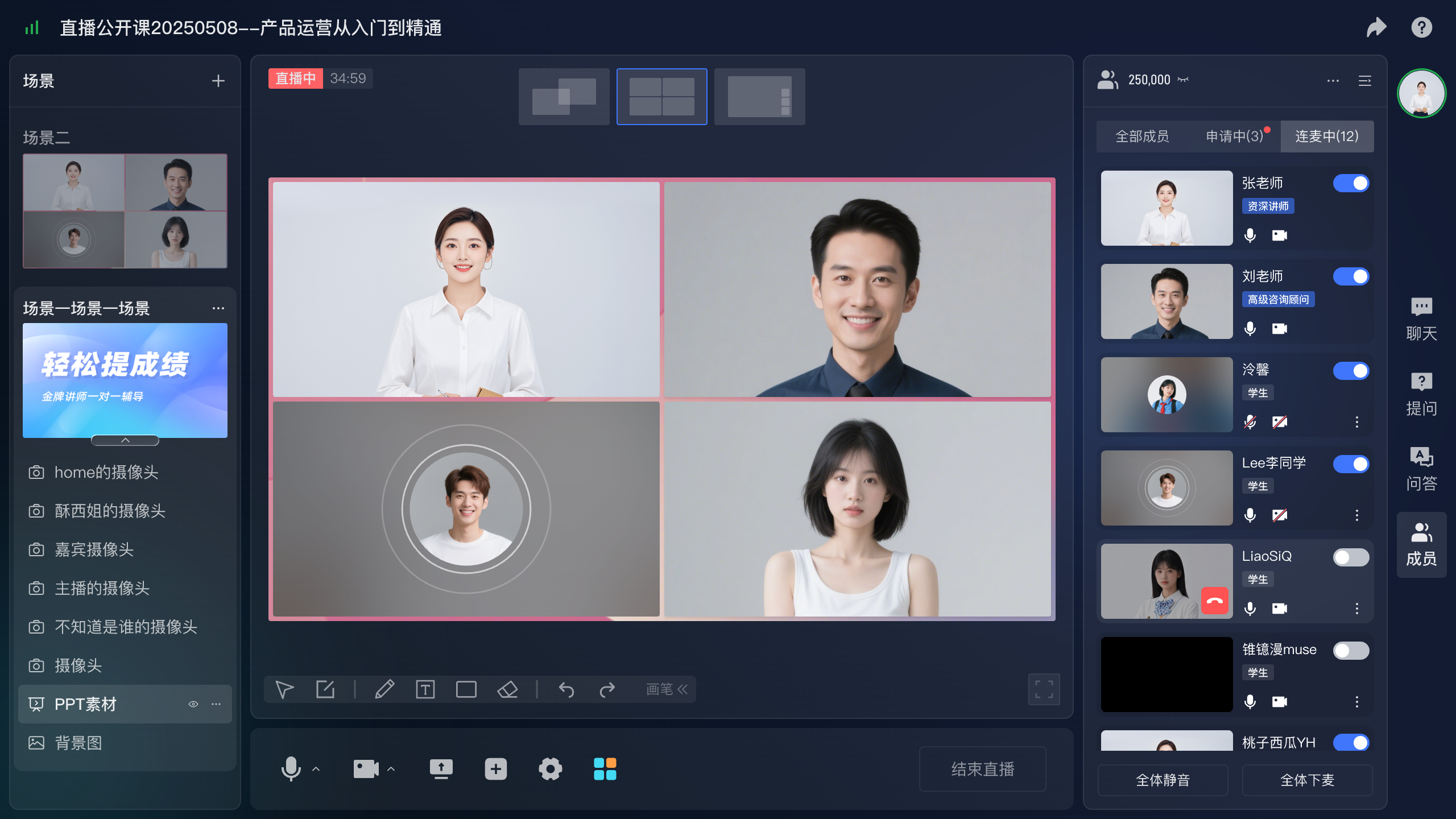
For software demonstrations or complex charts, prioritize readable material, then add speaker video. Use participant-focused layouts when seeing reactions contributes to the discussion. Mobile viewers have less display space, so test beyond the presenter’s computer.
Check entry requirements as well. External guests may have different accounts, devices, and installation constraints. Verify the actual product path and explain necessary steps in the invitation so that staff do not spend the opening minutes troubleshooting access.
04 Configure questions, public chat, and live participation separately
A question does not always require immediate microphone access. Definitions can be clarified in a scheduled answer segment; account-specific matters may need private follow-up; an exchange of views may benefit from live discussion.
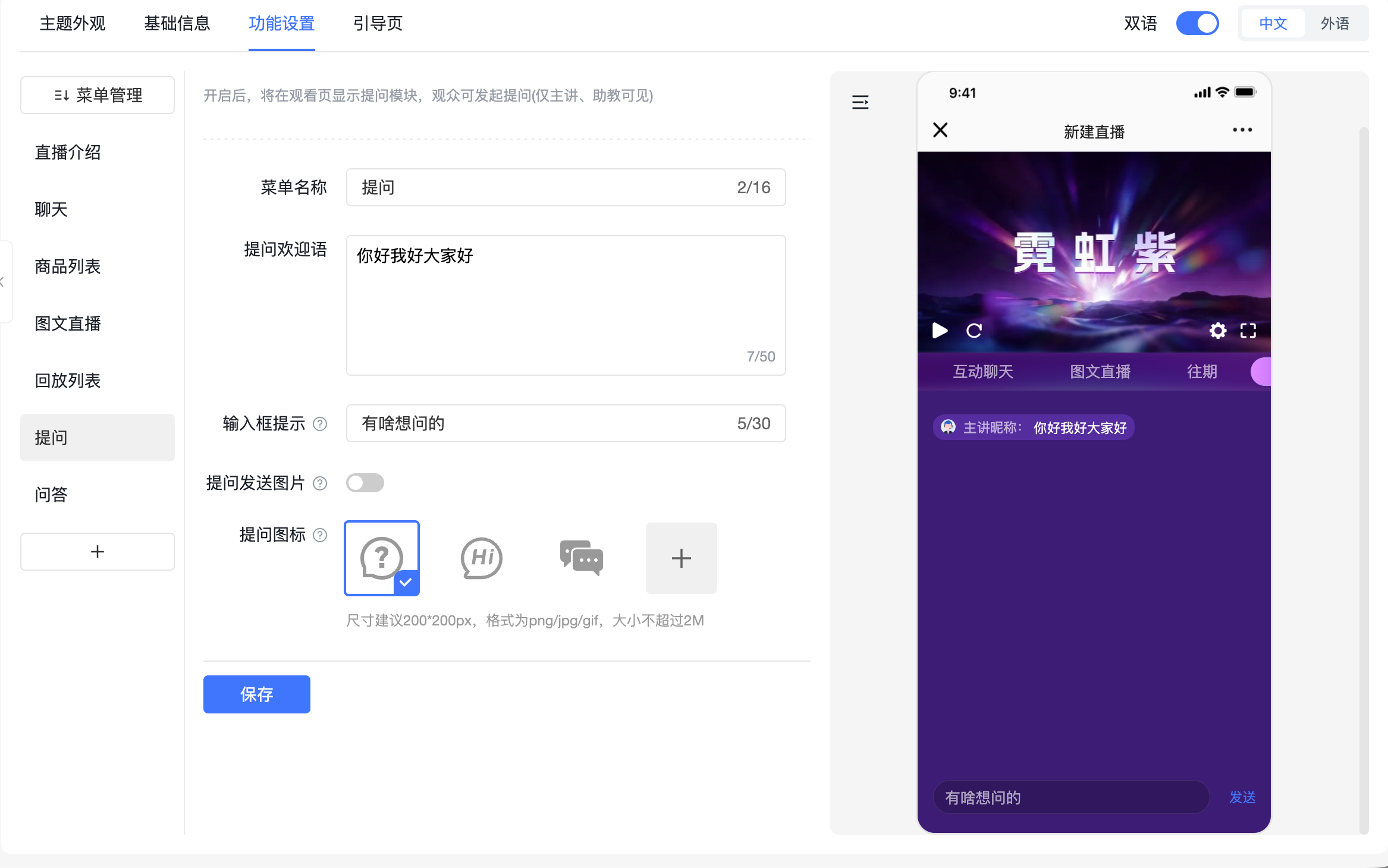
POLYV’s dedicated question feature sends submissions to the presenter, assistants, or guests and does not display them as ordinary public chat by default. Use it for questions that require review. Configure public chat or Q&A separately, and use the relevant live-participation controls when spoken discussion is needed.
For targeted events, inspect identity visibility as a separate requirement. Member lists, nicknames, and avatars do not necessarily follow the same rules as question visibility. Test with two viewer accounts and a host.
05 Consider marketing actions alongside discussion
If an event supports customer acquisition, assess registration, promotion sources, resource requests, and consultation applications. Smooth discussion and complete follow-up are both relevant, but the selected product must be checked for each required step.
POLYV enterprise live streaming offers registration, channel promotion, and push cards. Evaluate webinar collaboration features separately, then document which actions occur in the selected product and which use your website, forms, or other systems.
A small customer discussion may use a confirmed guest list and a named follow-up owner. A public industry session may require a clearer registration and consultation journey. They do not need the same complex form.
06 Test two representative scenarios
Run one trial with a few speakers and audience questions, and another with several people sharing and discussing materials. Use the devices intended for the event. Complete joining, speaking, switching materials, asking questions, and leaving.
| Dimension | What to verify |
|---|---|
| Speaking structure | Scheduled presenters or sustained group participation |
| Presentation | Readable materials and clear changes between views |
| Moderation | Host and assistant responsibilities |
| Business follow-up | Registration, resources, and consultation paths |
| Reuse | How recordings will be organized and delivered |
When both formats are required, separate public presentation and targeted discussion into defined segments or separate sessions. The objective is a comprehensible experience, not the greatest number of functions on one screen.
Review staffing. A host concentrating on the discussion needs someone to handle technical issues and incoming questions. Include the operating model in the selection decision.
Recording requirements also matter. For group discussions, confirm recording scope and permissions; for reusable product explanations, prioritize clear speaker and material capture. Define the eventual audience before configuring recording and replay access.
07 Frequently asked questions
7.1 Should a small event always use meeting mode?
No. A small audience may only need to watch a demonstration and submit questions. Participation requirements matter more than headcount alone.
7.2 Does broadcast mode exclude interaction?
No. Questions, chat, and applicable live-participation features support different interaction levels. Verify the combination for the selected product and devices.
7.3 Do different events need different configurations?
Start with a few standard formats, such as public presentations and targeted discussions. Refine them through actual use instead of redesigning every event.
08 About POLYV
POLYV offers webinar and enterprise live-streaming products for different speaking structures and viewing experiences. Teams can select capabilities around participant roles, content, and follow-up services, then validate the result through complete workflows.