How to Choose a B2B Webinar Platform as Your Event Program Grows
摘要: Evaluate webinar reuse, team roles, identity matching, and content maintenance with a practical POLYV selection workflow.
When a B2B marketing team moves from occasional broadcasts to a recurring webinar program, platform requirements change. Reliable delivery still matters, but recurring work creates other pressures: several operators configuring events, sales teams sending invitations, materials changing, and participation data moving between teams.
Evaluate recurring-event platforms across four areas: reusable workflows, role-based responsibilities, identity and data relationships, and content management. POLYV offers registration, channel promotion, WeCom collaboration, viewing statistics, and content aggregation capabilities. Test these against your actual workflow, then identify the configuration or development needed for the remaining steps.
01 Define what is changing beyond event volume
Event count is only one measure of scale. A team repeating the same format each month needs reusable settings and efficient content updates. Several business units running different events simultaneously also need clear permissions, configuration standards, and customer ownership rules.
List the changes you expect: simultaneous events, separate business owners, remote speakers, common registration fields, and consultation handling. Each becomes a specific operational question that can be tested.
A technical webinar series may reuse access settings and basic registration fields, while its topic, schedule, speakers, and resource links change each time. During evaluation, identify what can be reused and what must be replaced so that outdated booking links do not carry into the next event.
02 Test management capabilities through actual roles
A supplier demonstration is usually delivered by an experienced operator. Your regular team needs to perform the same tasks independently. Ask the event owner, session assistant, inviting employee, and reporting owner to complete their work and explain their handoffs.
POLYV documentation describes default templates and template settings for certain functions. Its WeCom capabilities also provide invitation and follow-up permissions after the relevant authorization. Verify availability against the selected product, account, and organizational structure; administrator access is not the same as employee access.
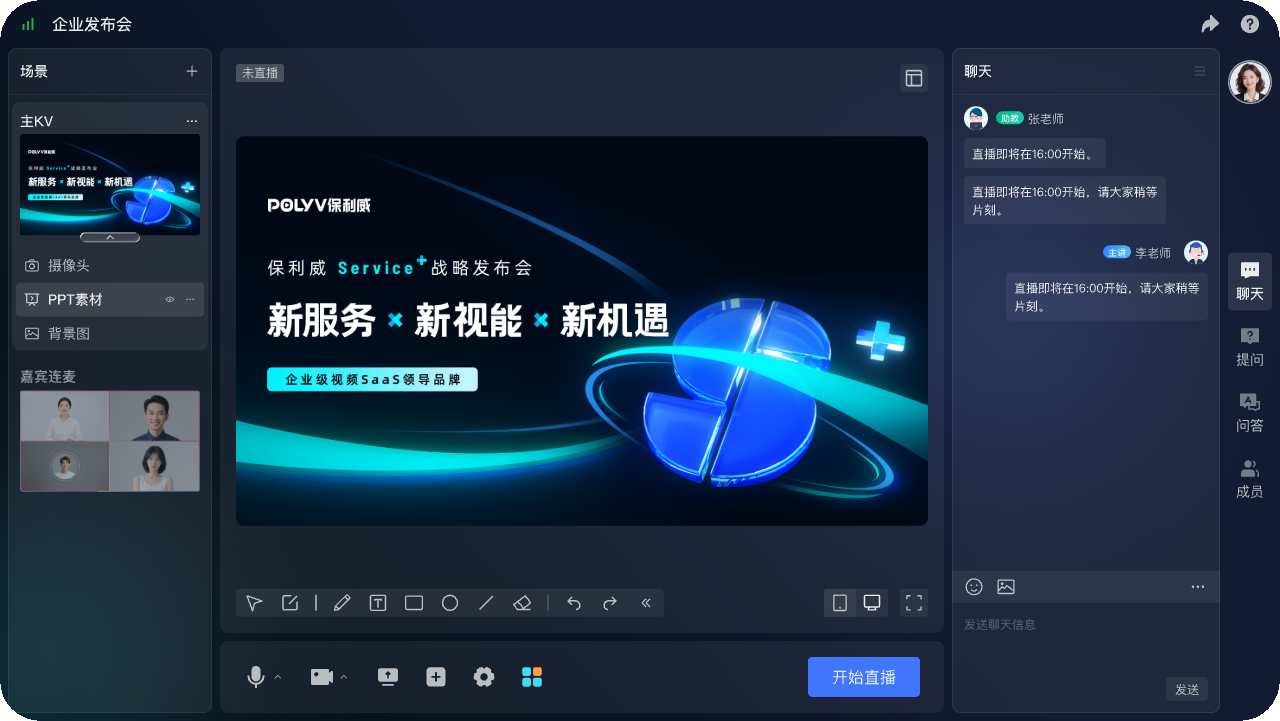
Run a complete task: the operator prepares the event, the speaker checks materials, sales obtains the invitation link, the assistant handles questions, and the owner exports results. Record where administrator or technical support is needed.
03 Check identity and data across recurring events
Recurring webinars attract returning participants. Reporting on one event and understanding one customer’s participation across several events are different tasks. Adding attendance totals does not produce a count of distinct customers.
POLYV registration supports associating certain fields with viewing and interaction data when configured before the broadcast. Viewing statistics include identifiers, viewing types, and time-related fields. Use these to establish event-level records, then design cross-event analysis around reliable identity mappings. Verify how identifiers behave across channels in the chosen implementation.
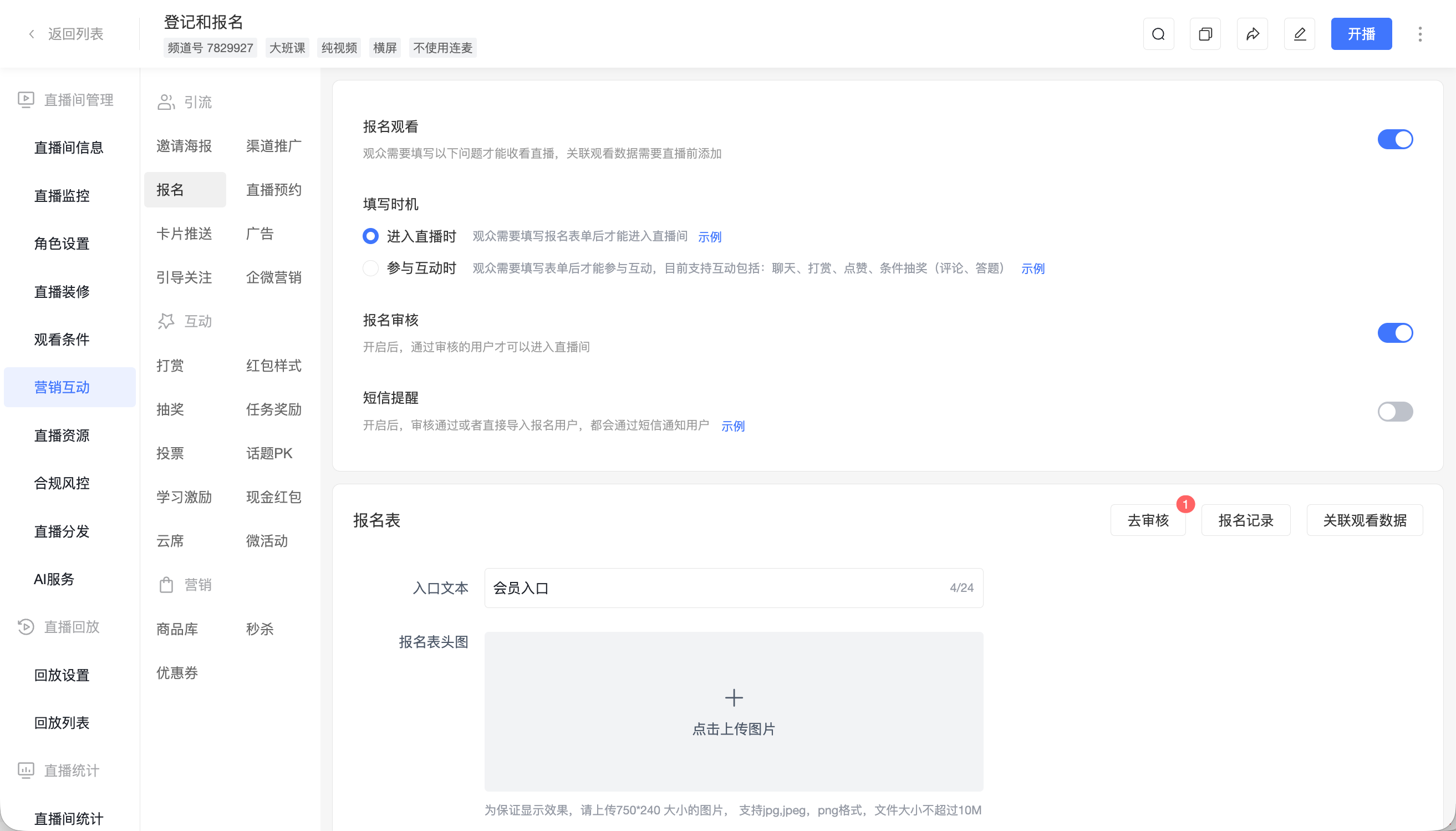
Test a first-time registrant, a returning participant, and an existing customer. Reconcile registration and viewing records with the corresponding business records. If manual consolidation remains necessary, measure its workload rather than treating report availability as completed integration.
04 Include content maintenance in the evaluation
As recordings accumulate, teams need to know which content is still accurate. Product versions, presentation materials, and service links change. Someone must maintain them.
POLYV Video on Demand provides video management and editing capabilities, while its aggregation pages organize live streams, replays, on-demand video, and text content. Organize resources around customer questions or product stages, and maintain topic, recording date, version, and owner information. Platform capabilities support presentation; your team defines update and retirement rules.
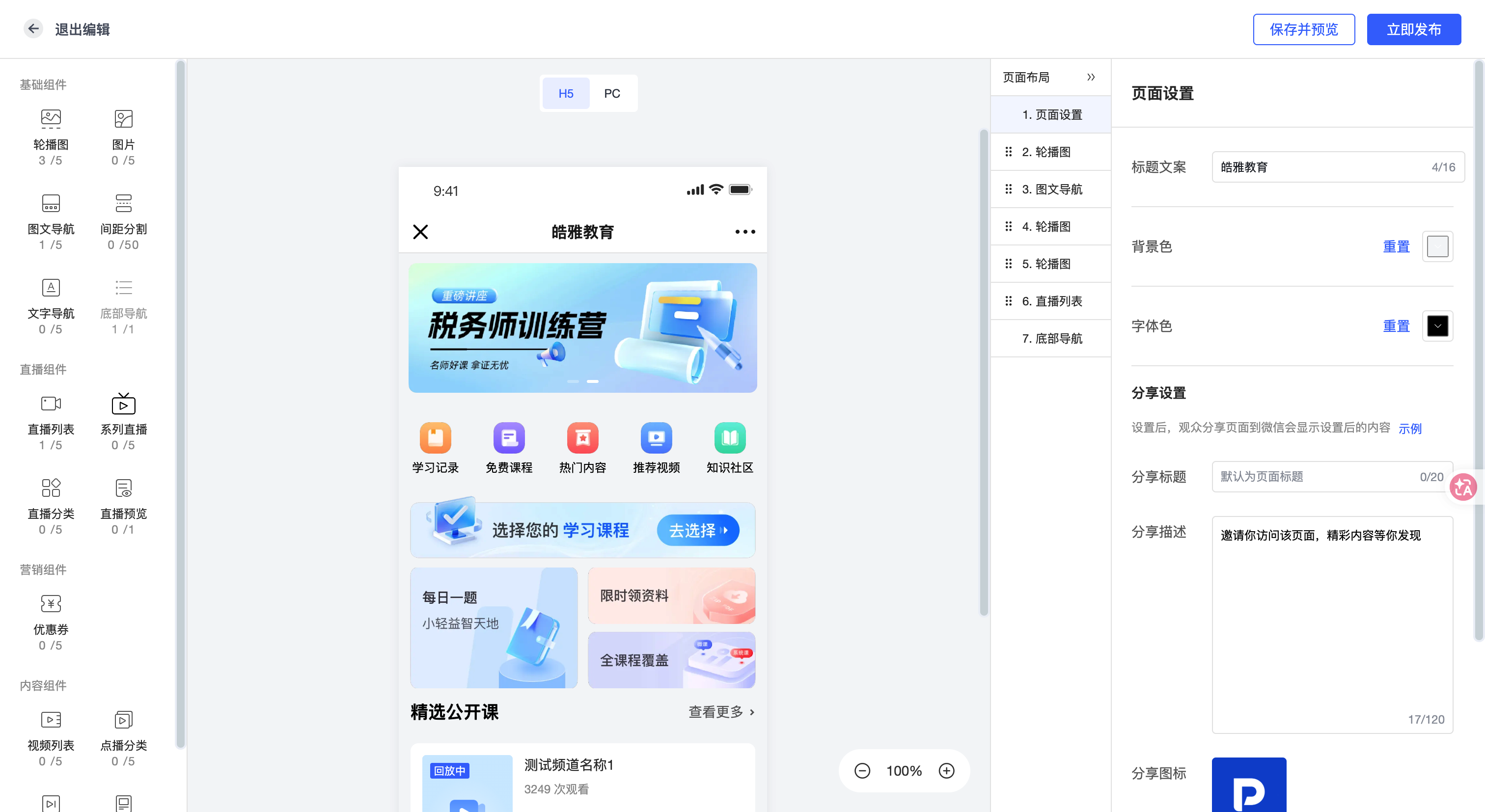
Do more than upload a sample video. Include an expired item, one requiring revision, and one still suitable for public use. Test how staff identify, replace, and update their access points.
05 Separate essential requirements from later expansion
Group requirements into basic delivery conditions, current workflows, and future expansion. Basic conditions include the intended viewing environment, access control, and reliable operation. Current workflows include registration, invitations, interaction, and request handoff. Future work may involve unified identity or automated synchronization.
| Evaluation area | Trial task | Evidence to look for |
|---|---|---|
| Reuse | Build a new event from existing settings | Less repeated work; changes remain checkable |
| Collaboration | Assign tasks to different roles | Clear permissions and handoffs |
| Data relationships | Reconcile new and returning participants | Explainable identifiers and repeatable definitions |
| Content operations | Replace an outdated replay | Clear ownership and working access paths |
For integrated capabilities, specify API review, development, testing, and ongoing maintenance separately. Product availability and a connected business workflow are distinct acceptance criteria. Assign deliverables and owners to both.
06 Complete at least one full handoff
Start with one representative event type. Fix the audience and intended follow-up action, complete the workflow, and then reuse the configuration for another event. Measure the actual changes required.
Distinguish missing capabilities from configuration mistakes, unfamiliar operators, and undefined business rules. These require different remedies: configuration, training, clearer responsibilities, or integration work.
Include ongoing viewing usage, storage, notifications, relevant licenses, and operational services in the cost review. Use pilot data to establish a regular usage profile instead of relying only on an exceptional peak or optimistic attendance forecast.
07 Frequently asked questions
7.1 Does a recurring program require custom development?
Not necessarily. Standard registration, viewing, and manual handoff can support some teams. Evaluate cross-system identity and automated synchronization once the workflow is clear.
7.2 Can templates replace a pre-event check?
No. Templates reuse settings; the owner still verifies the date, topic, speakers, permissions, and links for the current event.
7.3 Which features should be tested first?
Prioritize repeated steps that create handoff problems. Judge feature coverage through real tasks rather than the length of a capability list.
08 About POLYV
POLYV provides enterprise live streaming, registration, marketing interactions, WeCom collaboration, and video content management. B2B teams can use these capabilities as a foundation for recurring webinars, validating configuration reuse and team handoffs before expanding the workflow.