Why Live-Event Numbers Differ: A B2B Guide to Viewers, Duration, and Conversion Data
摘要: Reconcile live-event viewers, duration, replays, clicks, and consultation submissions with consistent identity and reporting definitions.
A live-event dashboard shows one audience figure, an export shows another, and the sales team’s customer count is smaller still. Before assuming data is missing, check the population, period, and identity rules. These figures may be answering different questions.
Fix the event scope, live or replay type, reporting period, and deduplication rules before reconciling users, duration, and consultation submissions. Keep concurrent viewers, cumulative viewers, viewing records, and business customers distinct. Participation data provides context; it does not automatically establish a sales outcome.
01 Several audience measures can coexist
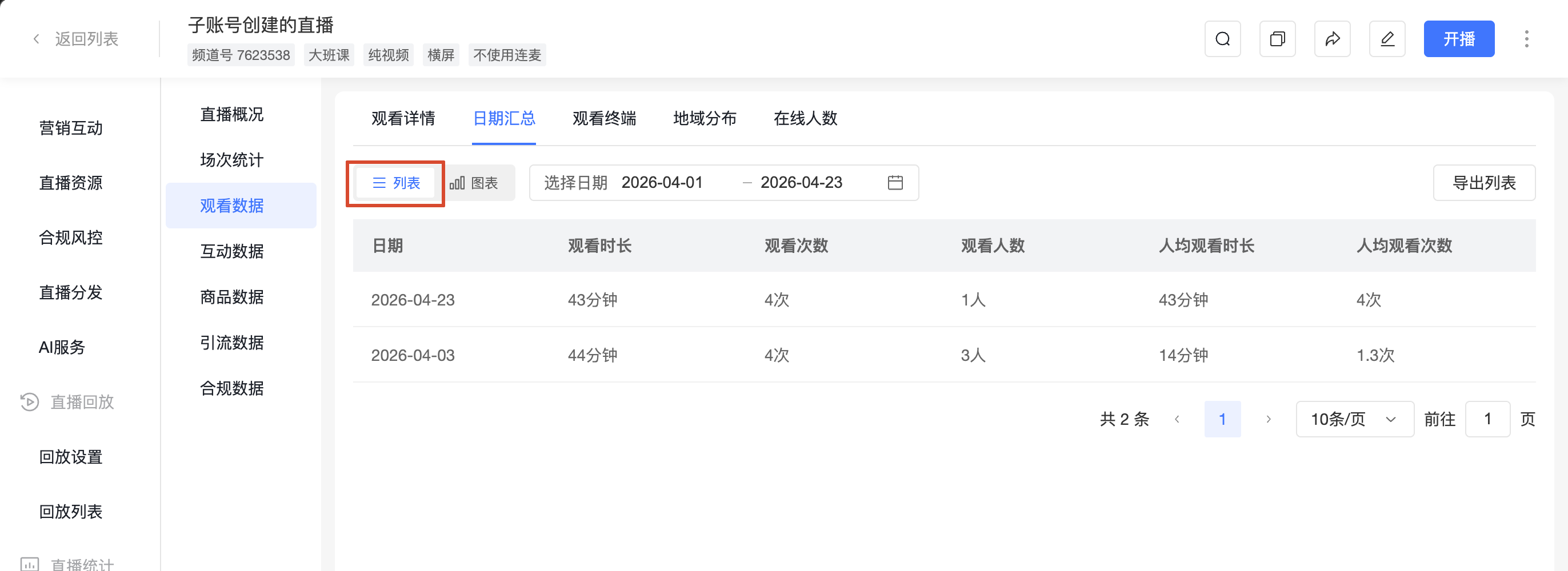
Concurrent viewers describe participation at a particular moment. Cumulative viewers describe coverage over a period. Playback or visit records can include repeated entries by one person. Business customer counts may instead group people by company.
POLYV viewing statistics include different viewing metrics and online-audience views. Start with the question: cumulative participation for reach, concurrency for live audience patterns, or explicit requests for service follow-up. No single figure answers all three.
Write the event, date range, extraction time, and metric definition at the top of the report. Different filters can produce different totals from the same records; a clear report header often resolves confusion faster than another export.
02 Reconcile live viewing and replays separately
Live attendance concerns participation during the scheduled event. Replay viewing reflects subsequent use of the content. POLYV provides relevant viewing-type filters and records. Report both where useful, but label their periods and keep replay viewing out of live-attendance counts.
A person watching live and returning to a replay may generate several records. Calculating distinct reach requires a reliable identity relationship and an explicit deduplication rule. Where that relationship is unavailable, separate reporting is clearer.
Maintain the relationship between the activity and its video resources. Replacements, republication, or new entry pages can introduce different resources, and unrelated viewing should not become part of the same content-performance total.
03 State which identifier is being deduplicated
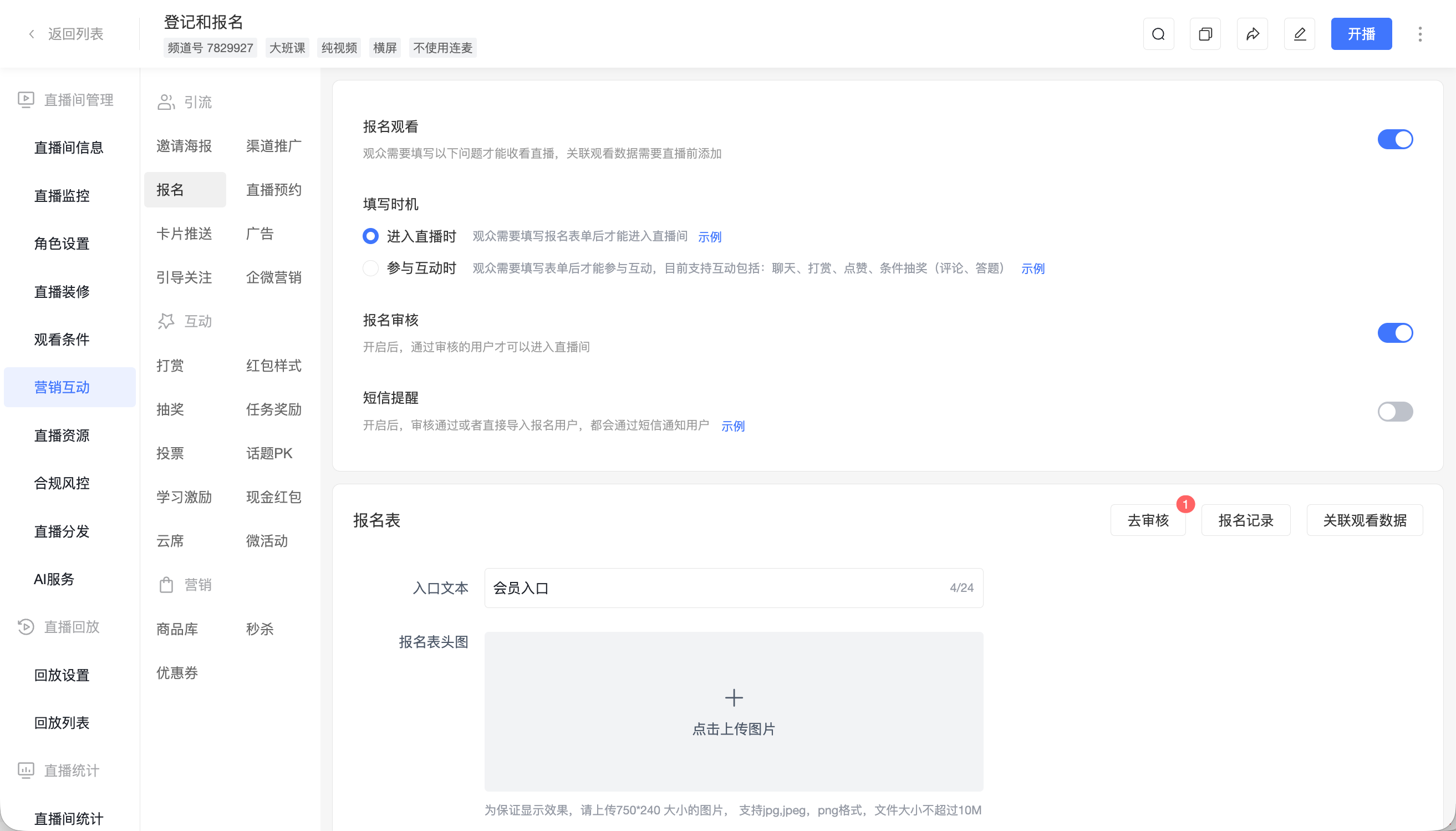
A person using both a phone and computer may or may not retain the same identity, depending on authorization. Shared information can also distort identification. Nicknames and company names are not reliable substitutes for individual keys.
POLYV supports different viewing conditions and authorization paths. Enterprises needing continuous participation analysis should establish the identity approach before the event and test registration-to-viewing relationships. With an enterprise user system, transmit identifiers through the appropriate authorization mechanism and maintain the mapping.
Keep unresolved records unmatched. Merging similar names conceals uncertainty rather than resolving it. Likewise, adding daily unique counts does not establish unique users across the full period because the same person may appear on several days.
04 Check the duration definition
Opening a viewing page does not mean continuous playback. POLYV documentation distinguishes page stay from actual viewing and describes how playback states, pauses, and buffering affect the relevant measures. Use the field definition rather than treating all time between entry and exit as viewing.
Check units and rounding when exported figures differ slightly from a calculation in seconds. Rounding individual records to minutes before summing can produce a different result from converting a total number of seconds. Preserve the original units and document conversions.
Duration may indicate participation depth but cannot independently establish understanding or purchase intent. A technical viewer may only need one segment. Combine duration with questions, explicit requests, and subsequent communication.
05 Count clicks and submissions separately
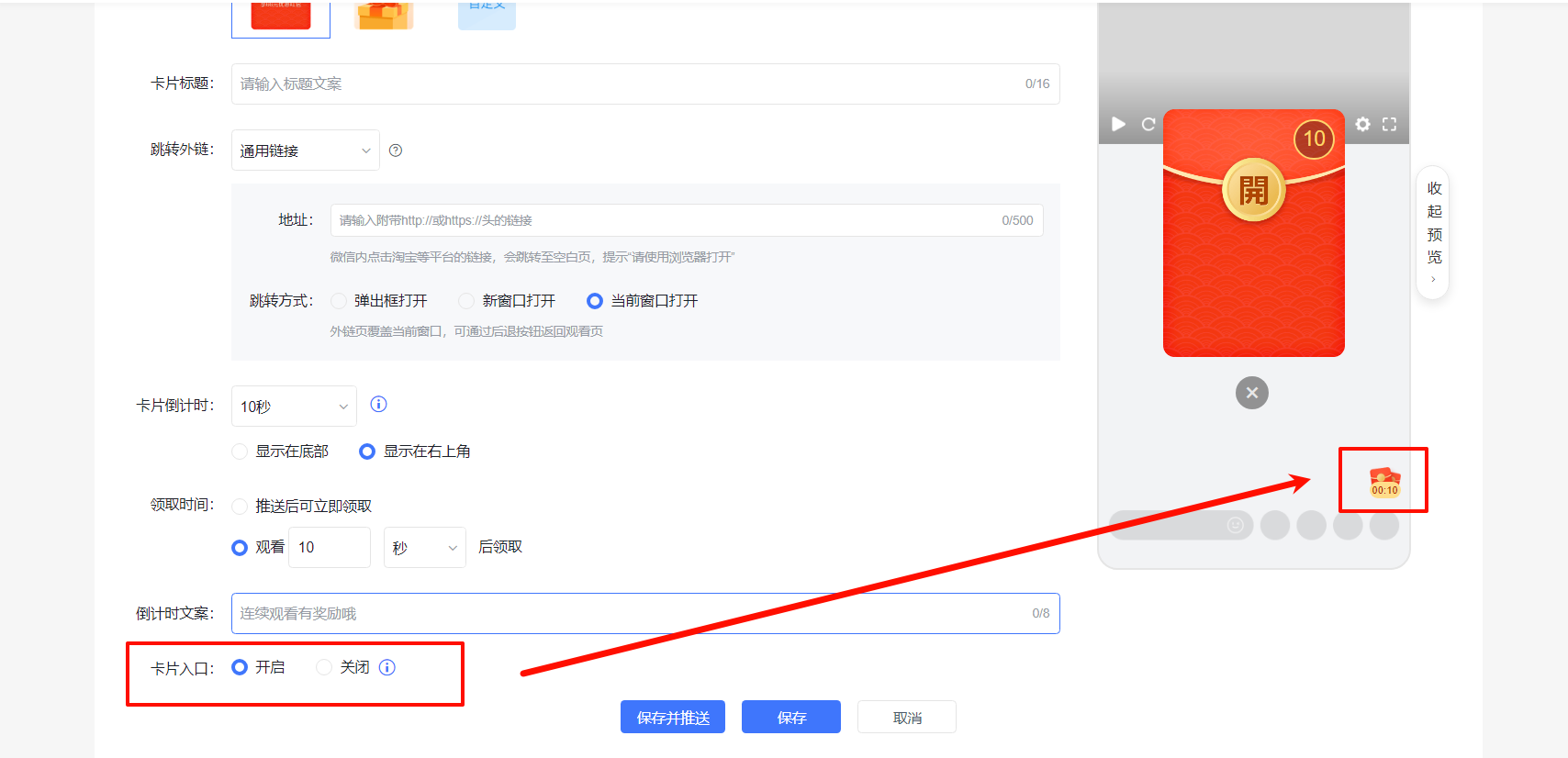
An ordinary card’s click record shows that someone used the entry point. POLYV documents click-user records and exports with their user-ID treatment. An external consultation form has its own successful-submission record.
Maintain three stages where available: viewing, clicking, and submitting. Reconcile each against its source. Without a reliable cross-system match, report the stages separately rather than calling every click a consultation.
Repeated requests and several people from one company create further counting choices. Specify whether the business counts requests, individuals, or organizations, and how duplicates are handled. A smaller final customer count may result from valid consolidation.
06 Locate discrepancies with a small sample
Fix one activity, a short period, and a few test identities. Enter, leave, return, switch devices, view a replay, and click the consultation entry. Record the times and compare the dashboard with exports.
This can distinguish filter differences, identity changes, processing delays, and transformation errors. A support request should contain the activity identifier, time, path, and suitably prepared sample rather than only stating that the numbers are wrong.
Maintain a metric dictionary containing field, meaning, source, filters, deduplication rule, and owner. Preserve historical definitions when rules change.
A reconciliation table can separately show eligible raw records, matched identities, duplicates removed, and unmatched items. Explain every filter or merge so the final figure can be traced back to the source.
For events crossing dates, verify time zone and date boundaries. Preserve the relationship between viewing and submission timestamps. A request submitted after the live session can retain its event source without being labeled a live-session conversion.
07 Frequently asked questions
7.1 Is a lower audience peak than total viewers normal?
They measure different things. Peak describes simultaneous viewing; total viewers describes the population over a specified period. Check the definitions before judging performance.
7.2 Why might viewers exceed registrations?
Public entry, unmatched identities, or different reporting scopes are possible explanations. Inspect the access settings and reconcile the registered population separately.
7.3 Can viewing duration rank customers for follow-up?
It can inform observation, but priority should also reflect role, questions, and explicit consultation. Long viewing alone does not establish an active project.
08 About POLYV
POLYV offers viewing statistics, registration, authorization, and interaction records. Consistent metric definitions, identity checks, and sample testing help B2B teams connect participation with business actions in an explainable way.