Tools for B2B Product Update Webinars: Demonstrations, Questions, and Upgrade Requests
摘要: Connect release explanations, demonstrations, customer questions, and upgrade requests using a structured POLYV briefing workflow.
After a B2B product update, customers want to know what changes in their work, whether existing settings require attention, and where to get help. A useful update briefing connects release explanations, demonstrations, questions, and follow-up assessment.
Enterprises running recurring customer briefings can evaluate POLYV enterprise live streaming alongside registration, dedicated questions, and push-card entry points. Judge the tool by whether customers can understand a change, describe a problem, and reach the appropriate service. Product applicability and upgrade arrangements remain the responsibility of the business team.
01 Organize the agenda around affected work
Product teams often present a list of features; customers understand changes through tasks. Structure the session around daily operations, administration, and technical connections so that each role can identify relevant sections.
Registration can collect role or areas of interest. POLYV supports configurable fields; detailed account configuration can be established later through the service process instead of being requested in full at registration.
State the applicable version and demonstration environment. Distinguish released functions, trials, and future plans. A capability shown in a demonstration should be accompanied by its access and usage conditions rather than implying that every customer already has identical settings.
02 Demonstrate a complete task before and after the change
A feature list rarely explains operational impact. Begin with a task, show the previous workflow, then explain the updated steps and prerequisites. Prepare the changes between slides, interface views, and commentary.
POLYV’s presenter console organizes scenes, materials, and guests. Its webinar product also offers document and desktop sharing. Choose the path according to whether the event is presentation-led or a small collaborative discussion, then test readability and transitions on the actual equipment.
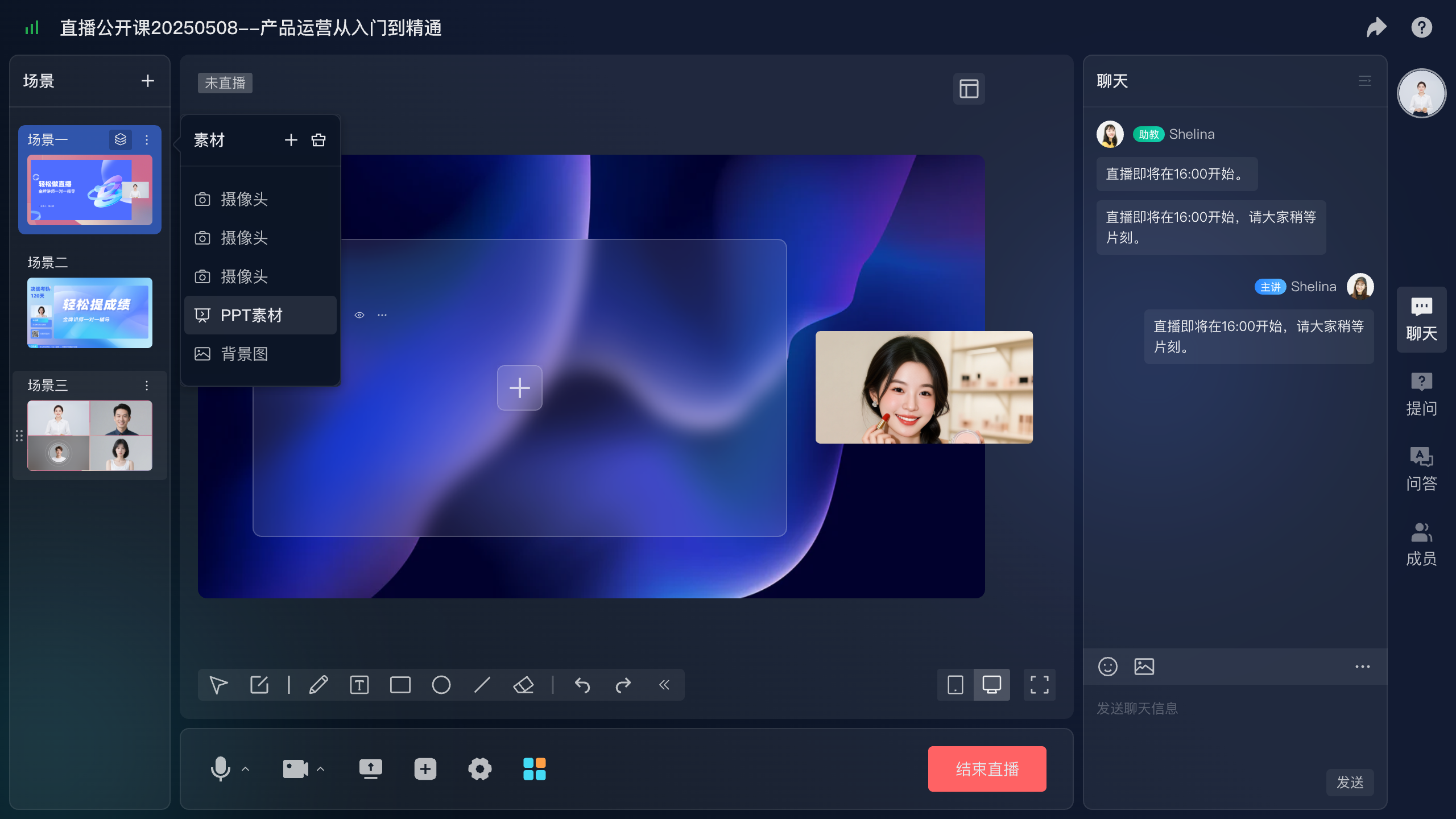
Assign product explanations, technical prerequisites, and service arrangements to the appropriate staff. If one person covers all three, a clear demonstration sequence and prepared questions become particularly important.
03 Collect specific usage questions separately
Chat supports general feedback, but usage questions may contain environment and configuration details. POLYV dedicated questions are directed to presenters, assistants, and guests by default, enabling staff to review them before answering.
Ask viewers to describe the task and step involved. Enable image submission only where needed, with guidance to remove unrelated personal or operational information. Consolidate repeated questions for the audience and route account-specific matters individually.
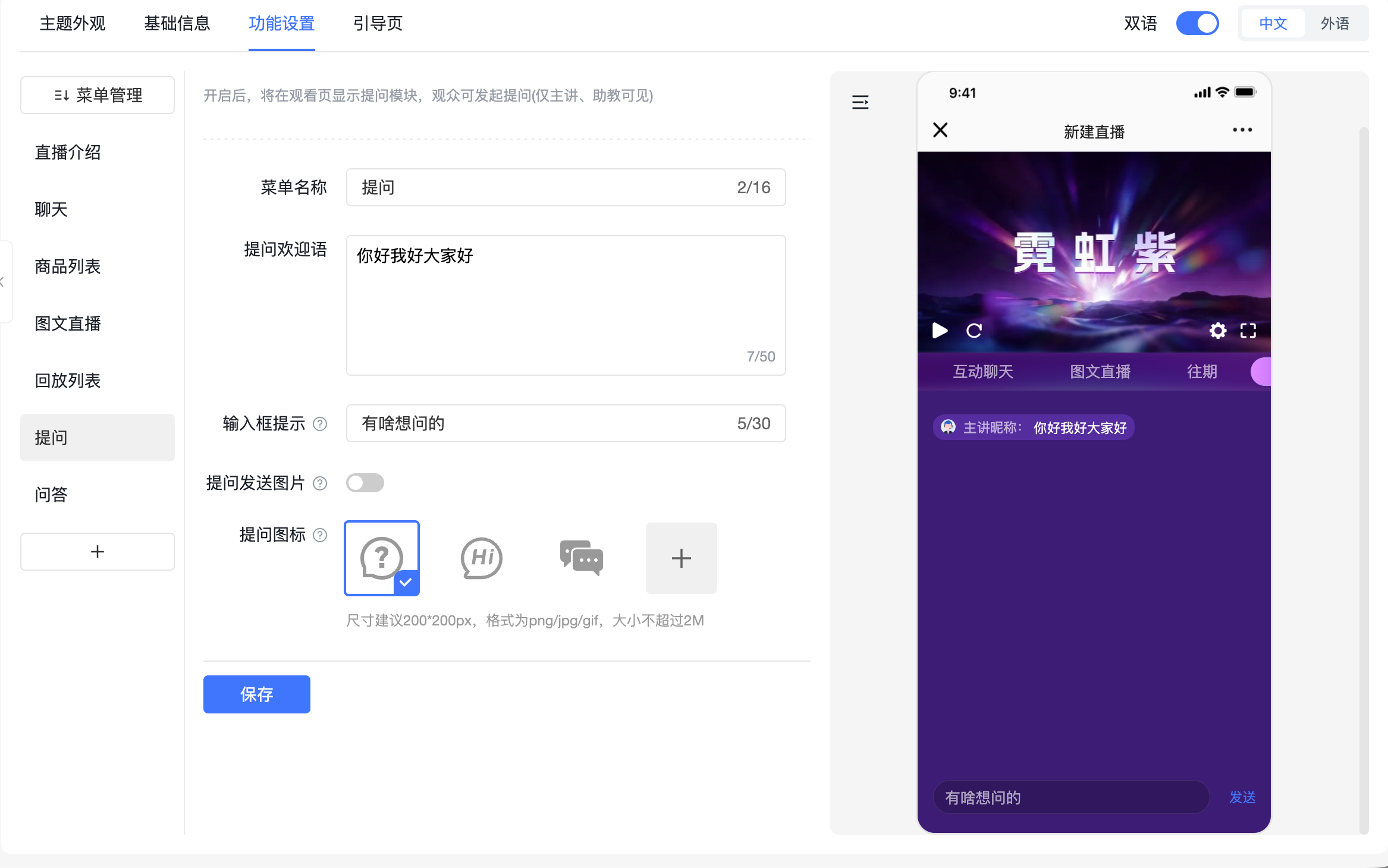
Keep different outcomes visible: no action needed, conditions to confirm, or further assessment required. Not every question should become an upgrade recommendation.
04 Match each entry point to a real service
Customers may want instructions, a trial, upgrade information, or support for a problem. Explain these services separately instead of directing everyone to an undefined consultation form.
POLYV cards support links and QR codes. Introduce the relevant resource or upgrade entry after the corresponding explanation. The destination should state what information is required, which team responds, and what happens next. Confirm successful submissions in the form system.
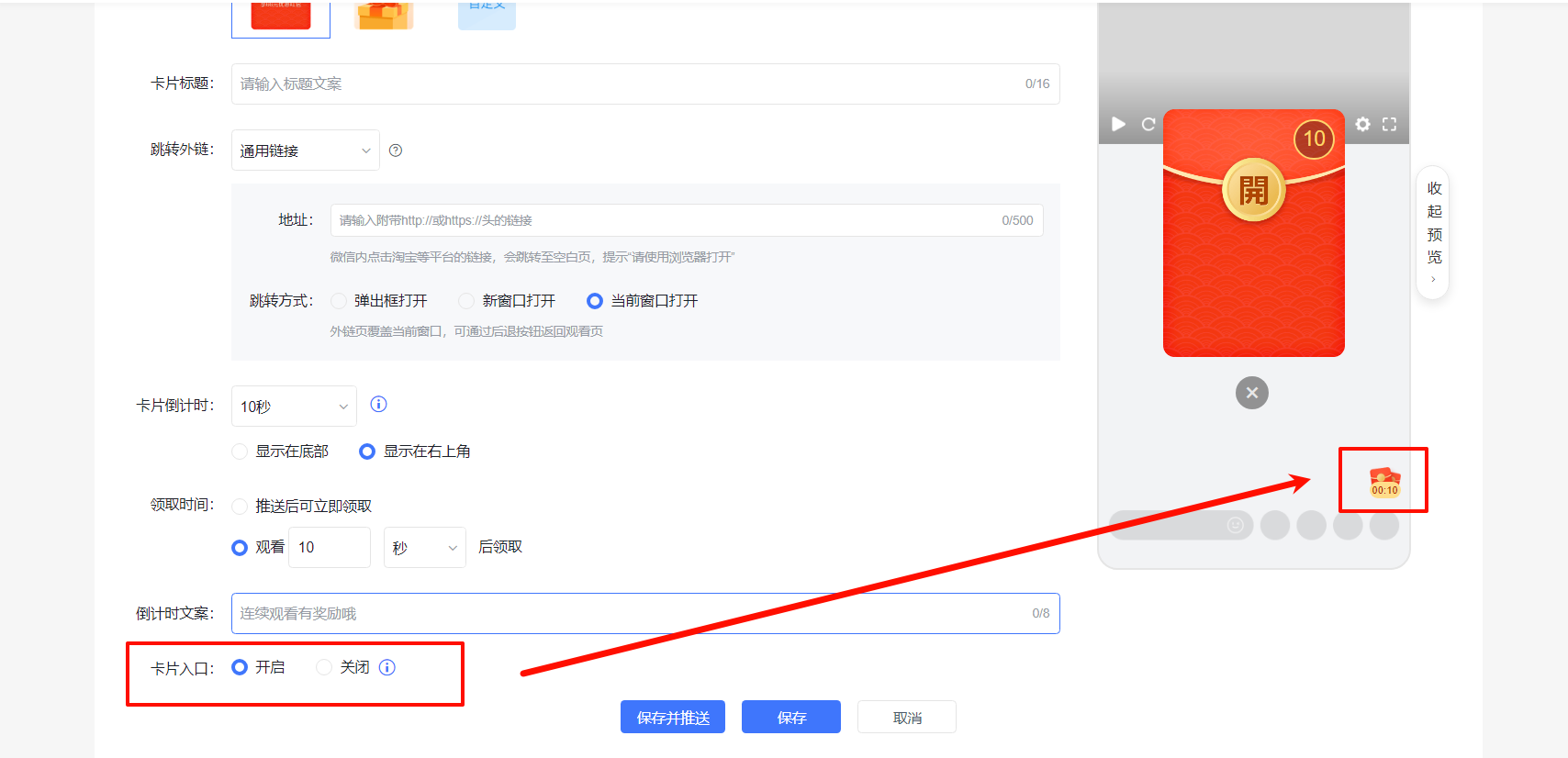
Card clicks indicate entry-point use. Upgrade applications and completed handling are separate business records. Someone obtaining documentation is not necessarily expressing upgrade intent.
05 Make replay versions identifiable
Include the applicable version, publication date, or review date in replay descriptions and supporting materials. A customer may arrive months later and needs to know whether the instructions are current.
Short clips can make specific tasks easier to find, but retain necessary prerequisites. Removing permission or configuration requirements can turn a correct demonstration into misleading instructions.
POLYV Video on Demand and aggregation capabilities support video management and themed collections. Organize by version or task, and appoint product owners to review accuracy. Directory design and maintenance are enterprise operating rules implemented alongside platform settings.
06 Validate with a real product update
Select an already confirmed release change. Have representative users register, watch, ask a question, and request service. Verify the presenter can deliver the demonstration, assistants can handle questions, and business staff receive complete requests.
Include cases where the customer’s version differs, a function is unavailable, or an answer requires verification. Both the tool and the team need a clear handling path.
Review participation, question categories, and service requests separately. Recurring confusion should improve product explanations and future briefings. Successful customer use is more relevant than event activity alone.
Separate defect reports from ordinary usage questions. Record the steps and environment for technical investigation instead of treating every issue as a reason to upgrade.
Prepare a change-and-action list: changes requiring no customer action, settings an administrator should check, and matters requiring assessment. Keep it aligned with the demonstrated version so customers can use it afterward.
07 Frequently asked questions
7.1 Should the briefing primarily promote upgrades?
First explain the changes customers need to understand. Where additional services or upgrades are relevant, state applicability and provide a clear route for further discussion.
7.2 Does every release need a live event?
Choose according to impact and explanation effort. Workflow changes and shared questions suit live sessions; simple changes may be explained adequately through text or short video.
7.3 Should the main presentation cover every technical detail?
Cover shared issues in the presentation and route environment-specific questions to technical discussion. Clear sections and entry points help each role find the necessary information.
08 About POLYV
POLYV offers enterprise live streaming, webinars, question handling, cards, and video management. B2B teams can connect product explanations with support and consultation, then maintain version-specific replays and materials for continuing customer use.