Tools for B2B Presales Technical Q&A: Requirements, Demonstrations, and Follow-Up
摘要: Prepare technical questions, demonstrate complete tasks, preserve context, and assign follow-up assessments in B2B presales live sessions.
B2B presales discussions often involve interfaces, environments, and implementation conditions. Passing questions through sales can lose context, while a broad product demonstration may never reach the details. A technical Q&A session can address shared questions together and route individual requirements for assessment.
Evaluate POLYV webinars or enterprise live streaming according to participant roles, combining registration questions, document or desktop demonstrations, dedicated questions, and service entry points. The important tests are whether technical information remains complete, questions retain their conditions, and follow-up assessments have clear owners.
01 Collect enough context to prepare
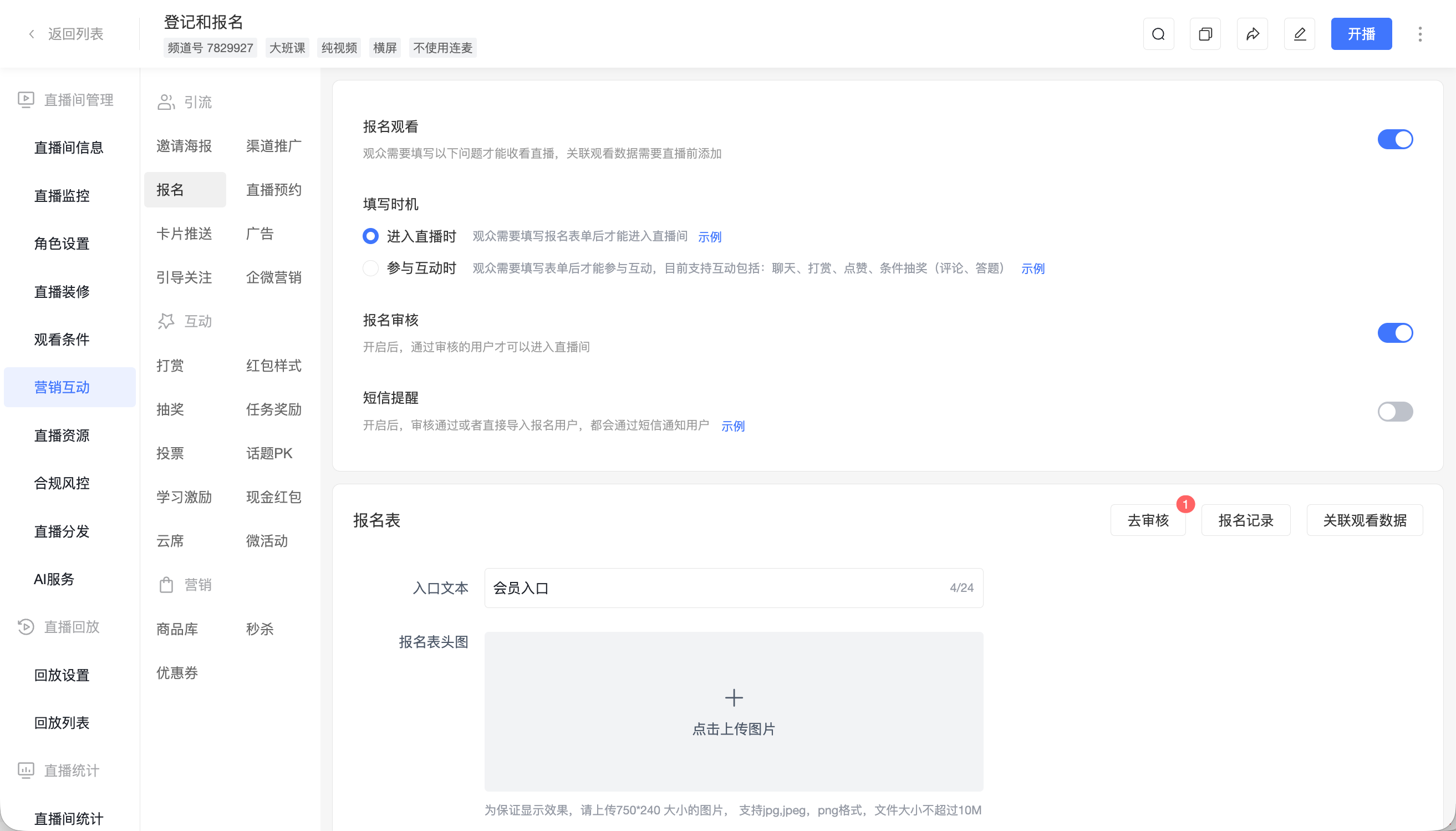
Registration does not need a complete procurement dossier. Begin with the intended use, main questions, and participant roles. Technical, operational, and management attendees may need different explanations within the same session.
POLYV registration supports configurable questions and fields. Organizers can identify common concerns and flag those requiring environmental details for the technical team. Explain that the information is used to prepare the discussion.
Early descriptions are not finalized requirements. They may omit important conditions. State assumptions during the presentation and complete the environment, permission, and dependency review during formal evaluation.
02 Decide who needs to speak or operate
For a small group sharing environments and analyzing details, evaluate POLYV webinar document sharing, desktop sharing, and multi-person collaboration. For a larger presentation-led audience, enterprise live streaming can support watching and structured question collection.
Choose by role rather than a simple headcount threshold. Separate presenting guests from viewers and assign the host responsibility for speaking transitions.
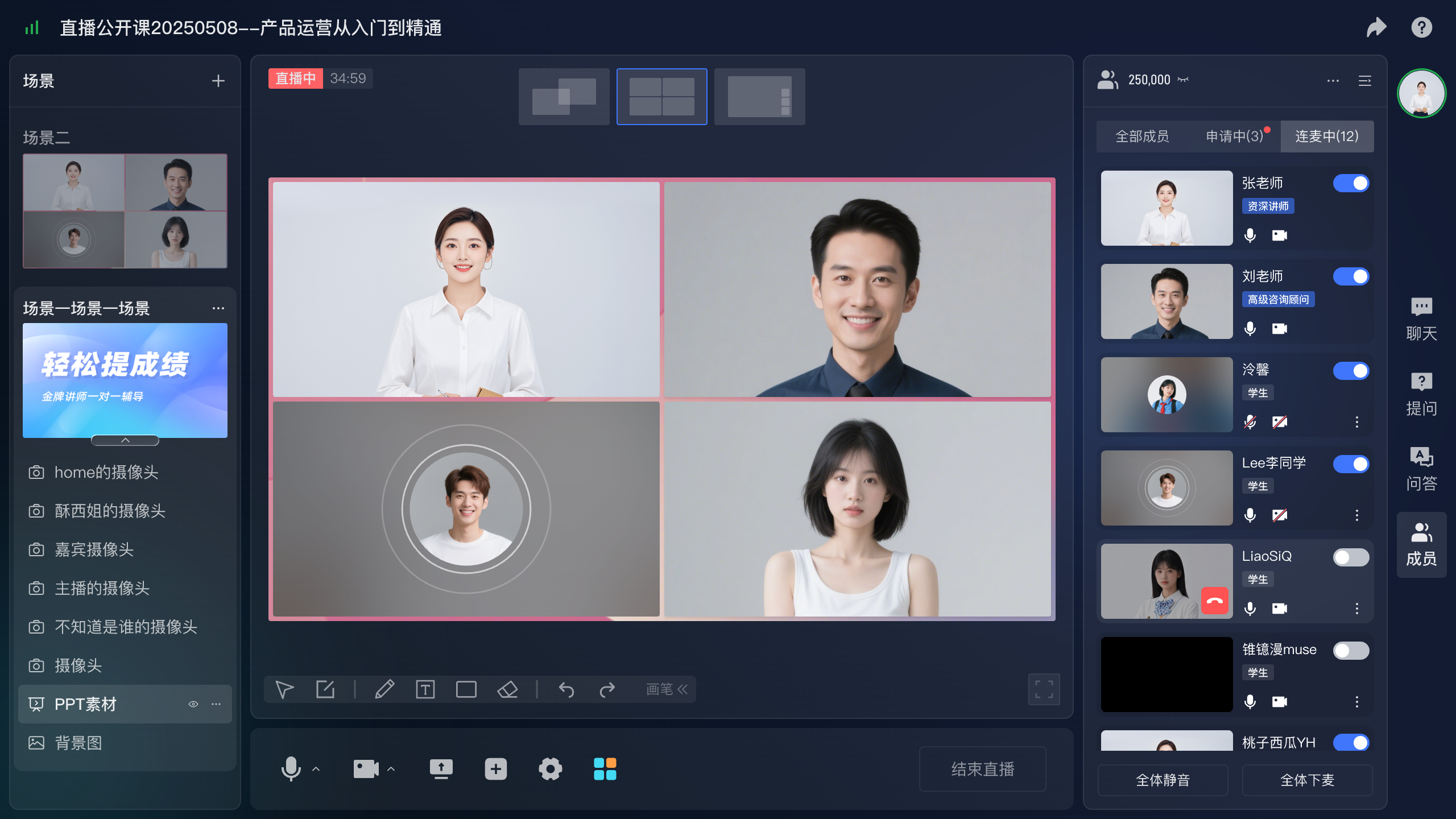
During rehearsal, show the actual configuration screens, terminal windows, and documentation. Verify readability from the audience’s devices. A screen that is clear to the presenter may be difficult to interpret remotely.
03 Demonstrate a complete task
Explain inputs, execution steps, expected results, and checks for failure. For an integration example, identify which system supplies identity, where data travels, and how completion is verified.
Use a demonstration environment and prepared data. Avoid relying on finding a suitable account or record during the session. Prepare supporting screenshots or documentation so the mechanism can still be explained if the live operation encounters a problem.
POLYV sharing and scene capabilities present the material; product and technical staff remain responsible for its correctness. Acceptance should check both presentation quality and the underlying task, rather than audio alone.
04 Classify questions by the work required
Shared questions can be explained during the session. Environment-dependent questions require more detail. Unconfirmed issues require verification and an owner. These routes help preserve accurate answers without forcing every project decision into one event.
POLYV dedicated questions collect submissions for presenters, assistants, and guests. Prompt viewers for context and steps instead of a bare yes-or-no request. Remove customer identifiers before public discussion while retaining prerequisites.
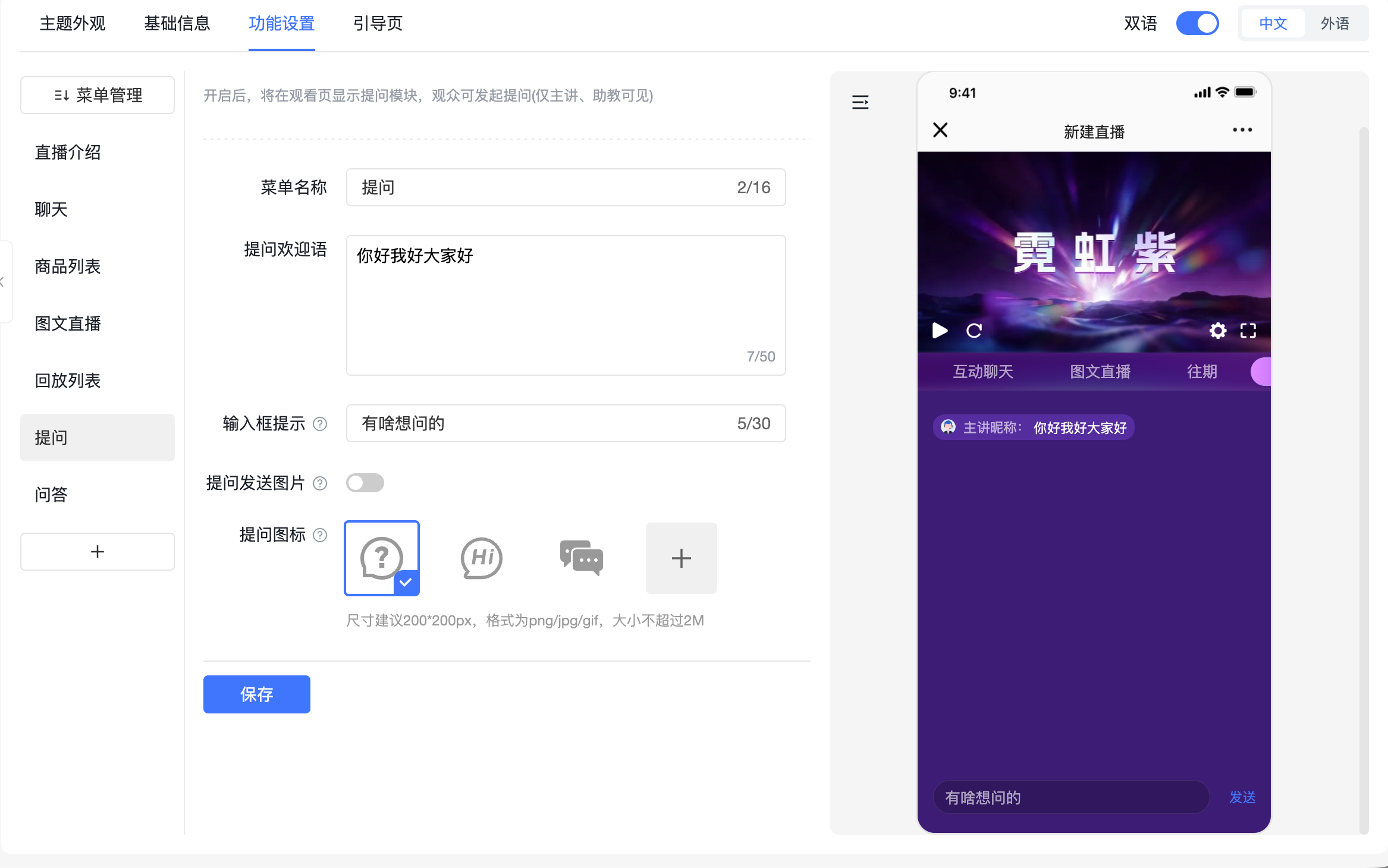
An internal question log can hold the original request, answer, and next action. This is an operational deliverable, not an assumed automatic assessment. If later verification changes an answer, notify the affected customer.
05 Begin assessment with an explicit request
Offer a technical-assessment or solution-discussion entry for customers who want to continue. POLYV cards can link to the relevant form; the receiving system records the request, and a named team arranges the next discussion.
Useful assessment information includes the task, current environment, timing, and key points to validate. Exchange sensitive files or account details through an agreed channel, not public chat.
Provide the next owner with the original question, conditions already explained, and unresolved matters. Viewing and interaction records can supply context, but they do not replace a stated technical requirement.
06 Test the entire lifecycle of a question
Take one real question with sensitive details removed. Collect it during registration, prepare the demonstration, handle the live submission, and hand it off afterward. Check that context survives each step.
Include an issue that cannot be answered immediately. The assistant should record it, the presenter should explain the next step, and the owner should be able to retrieve it. Credibility depends on accurate conditions and follow-through, not only response speed.
Record evaluated tasks, environments, steps, results, and unresolved dependencies. If the environment later changes, both sides can identify which findings require renewed validation.
Convert recurring misunderstandings into better documentation or future opening explanations. Retain originals internally for verification and use generalized wording in public materials.
Check staff permissions for page editing, question access, and exports. Test from the actual enterprise network as well, so sharing and viewing conditions reflect real participation.
07 Frequently asked questions
7.1 Should every viewer have microphone access?
Configure it for the discussion. Directed questions suit centralized demonstrations; controlled speaking access supports collaborative analysis.
7.2 Can a presenter promise a custom requirement is feasible?
Answer from verified capabilities and actual conditions. Requirements needing development should enter a defined technical assessment with an accountable owner.
7.3 How should effectiveness be judged?
Check whether shared questions were explained, verification tasks were completed, and assessment requests were handled. Participation describes the process; service records establish completion.
08 About POLYV
POLYV provides webinar collaboration, enterprise live streaming, registration, and interaction capabilities. B2B teams can use them to connect advance question collection, reproducible demonstrations, and subsequent technical assessment.