POLYV uni-app Viewing Component for a Paper-Care Mini Program Mall
摘要: A paper-care brand can mount POLYV’s uni-app WeChat viewing component and test product routes for tissue pack counts, diaper sizes and member checkout.
A paper-care brand already has a uni-app WeChat Mini Program mall and wants to sell tissues, toilet paper and diapers through a member-day broadcast. In the build targeting mp-weixin, its team can mount POLYV’s native WeChat component polyv-watch-room. The component manages the room’s internal viewing flow; the brand mall manages members, pack counts, diaper sizes, coupons and orders. Acceptance should prove that the right entry opens the right channel, each product card reaches a valid variant page, and the viewer’s return after shopping is predictable.
Paper-care SKUs vary by sheets, pack count, size and bundle. Verify the mapping from livestream product ID to mall SPU/SKU and destination page before building navigation. A room that plays correctly can still direct shoppers to the wrong size.

01 / Confirm the WeChat-specific project boundary
POLYV’s uni-app WeChat Mini Program integration guide is for an existing uni-app project compiled to mp-weixin. The package is a native WeChat custom component, not one multi-platform package that runs unchanged in App, H5 and other Mini Programs. Use corresponding paths from the POLYV developer center for those platforms.
Before touching the code, confirm three things: the brand’s WeChat AppID and service category are eligible for the selected player and any plugin or co-hosting capability; a POLYV test channel is ready with the desired viewing conditions, chat and product interactions; the mall has stable product-detail routes and variant IDs. POLYV’s selection guide describes different requirements for plugin, live-player and video options. Final eligibility depends on the brand’s own AppID and WeChat review.
Prepare three sample items: a tissue product with different pack counts, a large toilet-paper pack and diapers with size choices. Give each an in-stock and sold-out state. Prepare a coupon that applies to one item and not another. These fixtures cover the room-to-product journey without importing the entire catalog into a test channel.
02 / Mount the smallest working viewing page
Obtain the complete polyv-live-watch package and copy it to src/wxcomponents/polyv-live-watch. If building from POLYV’s open viewing-page project, use the matching build output and copy the complete directory. In manifest.json, enable custom components under mp-weixin and merge the plugin dependencies required by the delivered package without overwriting the existing AppID and permission settings. In pages.json, register polyv-watch-room in the target page’s usingComponents using the compiled WeChat root path.
Mount <polyv-watch-room> once in the .vue page and pass the channel through configs.channelId. The component handles its own introduction, viewing and error states. The host can listen to ready and view-change for initialization and state tracking, but should not mount another room on every view-change. Follow the official cleanup example on page unload, then confirm re-entry does not create a second player or carry stale chat state.
| Check | Expected result | First place to investigate on failure |
|---|---|---|
| Open the room page | Component reaches the channel’s intended state | Complete wxcomponents package and registration path |
ready event |
Host records initialization once | Channel ID, package and compiled output |
| Member login | Viewer returns to the same channel | login-required handling and return parameters |
| External page | Host opens an approved destination | webview event, allowed domain and URL handling |
| Exit and re-enter | Playback and chat behave normally | Component cleanup and page lifecycle |
These event names follow the current official uni-app guide. Product, advertising and external-link event payloads should be checked against the actual delivered package version. Do not assume that the sample webview URL field describes every product-card event. Long-lived authentication secrets belong on the brand’s server, not in Mini Program route parameters.
03 / Route each card to a usable variant page
The brand’s catalog is the source of truth for variants and price. A room may feature a “family tissue pack,” while the destination page lets shoppers compare sheets per pack, number of packs, current price and delivery conditions. A diaper card should open a page with a clear size and package-count selection. Do not hard-code the wrong default SKU into a card or assume a promotion label is the final checkout price.
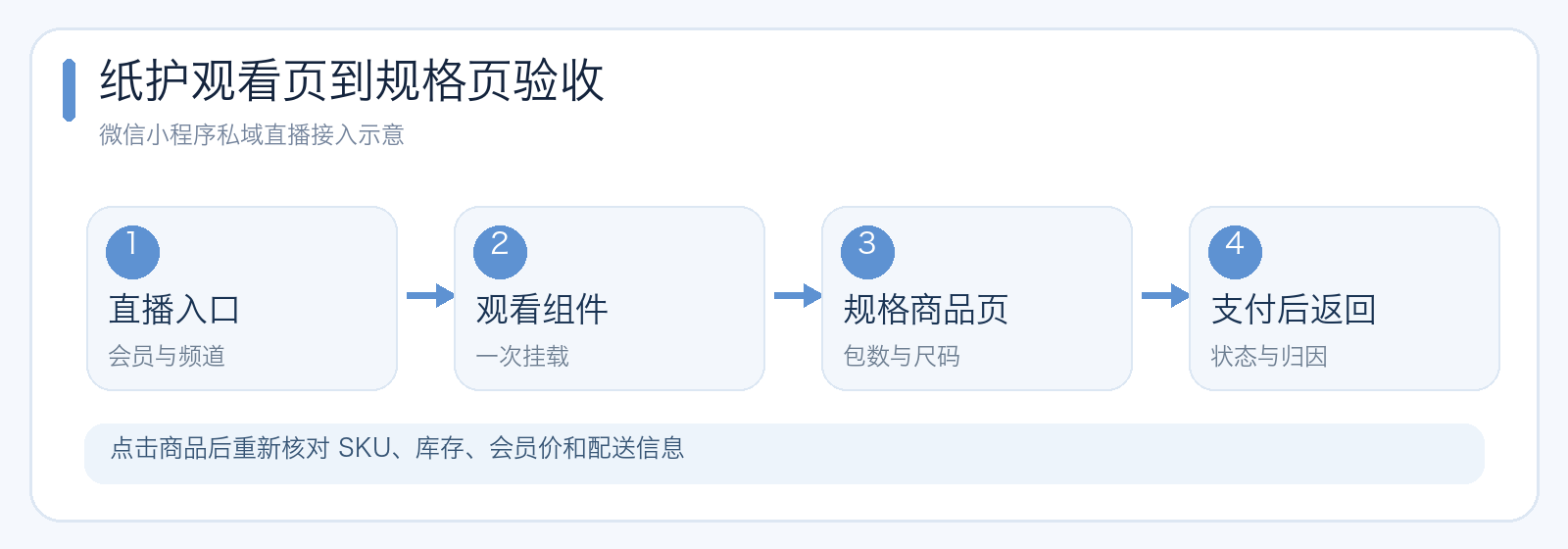
Keep a mapping of event ID, channel ID, livestream product ID, mall SPU, default SKU, available variants, target route and campaign validity. When a card is tapped, the host follows this mapping into its own mall. The mall then rechecks membership, current price, stock and coupon eligibility. A member-day campaign source can be retained for reporting without putting phone numbers, addresses or long-lived tokens in the route.
Variant switching needs a dedicated test. A shopper may open a 12-pack tissue card and choose a 24-pack instead; stock, shipping and coupons can change. Paid and refunded orders are measured by the mall’s order system, not inferred from a room click. On return, the room should preserve channel and event context without assuming the buyer still selected the original variant.
04 / Accept a real purchase path on iOS and Android
Enter the room from the member center, a WeChat share card and a product page. Check source, channel and login state. Tap each sample item and verify the relevant variant page. Test in-stock, sold-out, coupon-ineligible and purchase-limit cases. Complete one test payment, then test failed payment, Mini Program re-entry and replay after the campaign ends. Record the AppID, channel, package and WeChat base-library versions, and device OS.
POLYV also provides Mini Program background small-window playback. It can be tested while shoppers compare pack counts or diaper sizes. The native viewing page requests background playback through its active native player; a WebView livestream follows the documented native intermediary page. Actual support depends on WeChat base-library and OS versions, category and permissions, channel settings, player state and route. Test on real iOS and Android devices rather than relying on the developer tool.
For delivery and returns, remember that a large tissue pack may have different shipping fees by area, while diaper sizes may be stocked separately. The product page should recalculate stock, price, coupon and delivery after every variant switch. Report clicks and paid orders by both SPU and SKU; otherwise the team cannot tell whether a problem is the explanation, variant selector or missing stock. Keep a sample route sheet for each new member-day event so operators can add product mappings and run focused regression checks.
05 / Frequently asked questions
Does the viewing component automatically synchronize paper products to the mall? No. Mapping, navigation and any synchronization are implemented against the brand’s own catalog and order architecture.
What if a product click returns only an external link? Check the delivered package’s event and payload, then decide whether the link is allowed in the Mini Program or should map to an internal product route. Do not turn an unknown URL into a route by string concatenation.
Can replay continue selling the same item after member day? The mall’s campaign state decides. The explanation may remain useful, but the card should reach a currently valid product or show that the offer ended.
Further reading
The Chinese edition covers the same scenario. For a wider decision framework, see the Mini Program livestream integration overview.