Extending a B2B In-Person Salon Online: Participation, Questions, and Consultation
摘要: Design remote viewing, audio, shared question handling, replay content, and consultation paths for an online extension of a B2B salon.
Customers may miss a B2B in-person salon because of location or scheduling. Adding online viewing extends access, but remote viewers need intelligible discussion, readable materials, and a way to ask questions. Otherwise, they are merely watching the room rather than participating in the event.
Design the online extension around on-site capture, remote viewing, shared question handling, and subsequent consultation. POLYV enterprise live streaming, guest collaboration, questions, and cards can support these steps. Actual audio, video, and staff coordination must be rehearsed so that the remote experience is usable.
01 Define what remote viewers will receive
On-site guests can see the room, follow gestures, and continue discussions during breaks. Remote viewers depend on the viewing page. Specify which segments are available online and which remain informal on-site exchanges.
Invitations should state the online agenda, time, question method, and post-event resources. Long breaks or local group exercises need an explanation or an alternative online segment rather than an unattended room view.
Distinguish on-site and online registration to support reception and viewing services. POLYV registration can collect participation mode and questions. Verify physical check-in and online entry separately so they do not become a single ambiguous attendance measure.
02 Prioritize intelligible audio and readable content
In a salon, speakers, hosts, and questioners may stand in different places. Audio arrangements must cover actual speaking positions. Testing only the main speaker’s microphone does not establish that remote viewers will hear audience questions.
POLYV’s presenter console organizes scenes, presentation materials, and guest views. Prepare combinations for presentations and discussion, and verify text from a remote device rather than only the room display.
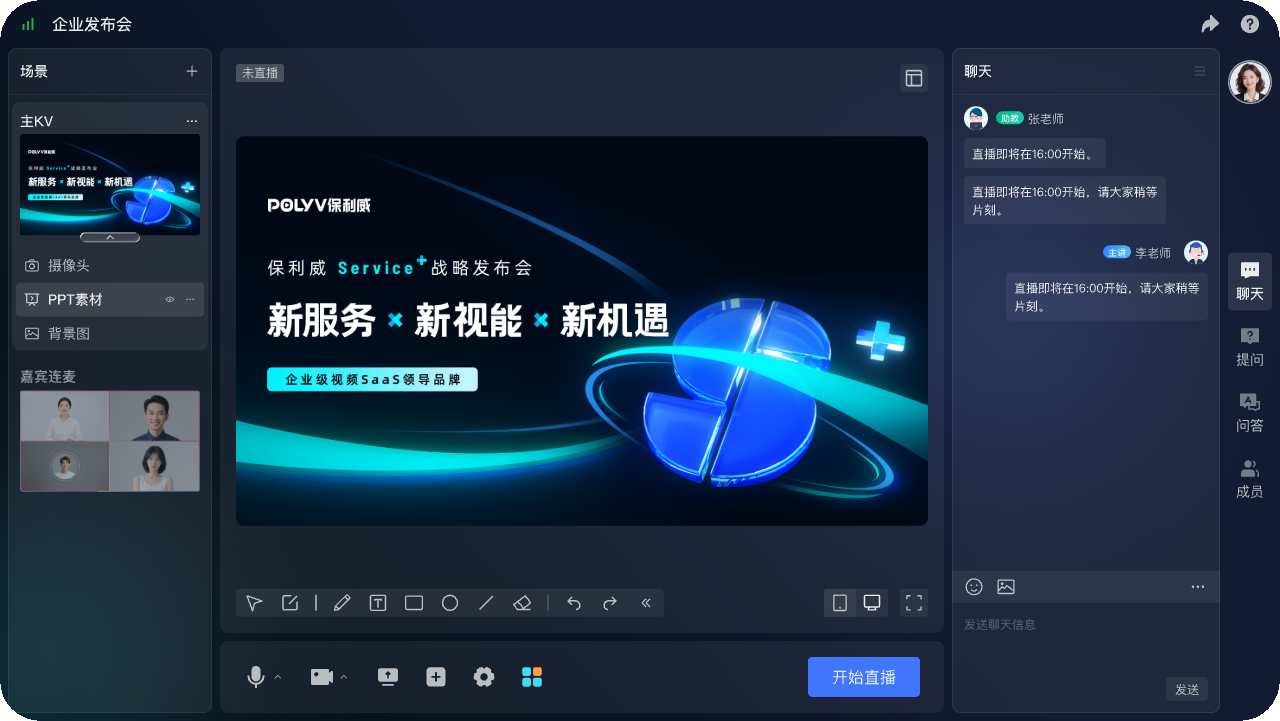
Ask someone outside the venue to test sound levels, material readability, and transitions. Independent remote monitoring more closely represents the audience experience than the production team’s own equipment view.
03 Give both audiences a shared question process
If the host only responds to raised hands in the room, remote viewers are excluded. Assign staff to collect online questions and pass them to the host at planned points alongside on-site questions.
POLYV dedicated questions are directed to presenters, assistants, and guests by default. Summarize submissions before public answers, remove customer identifiers, and preserve important conditions. Mentioning that a question came from the online audience makes the participation route visible.
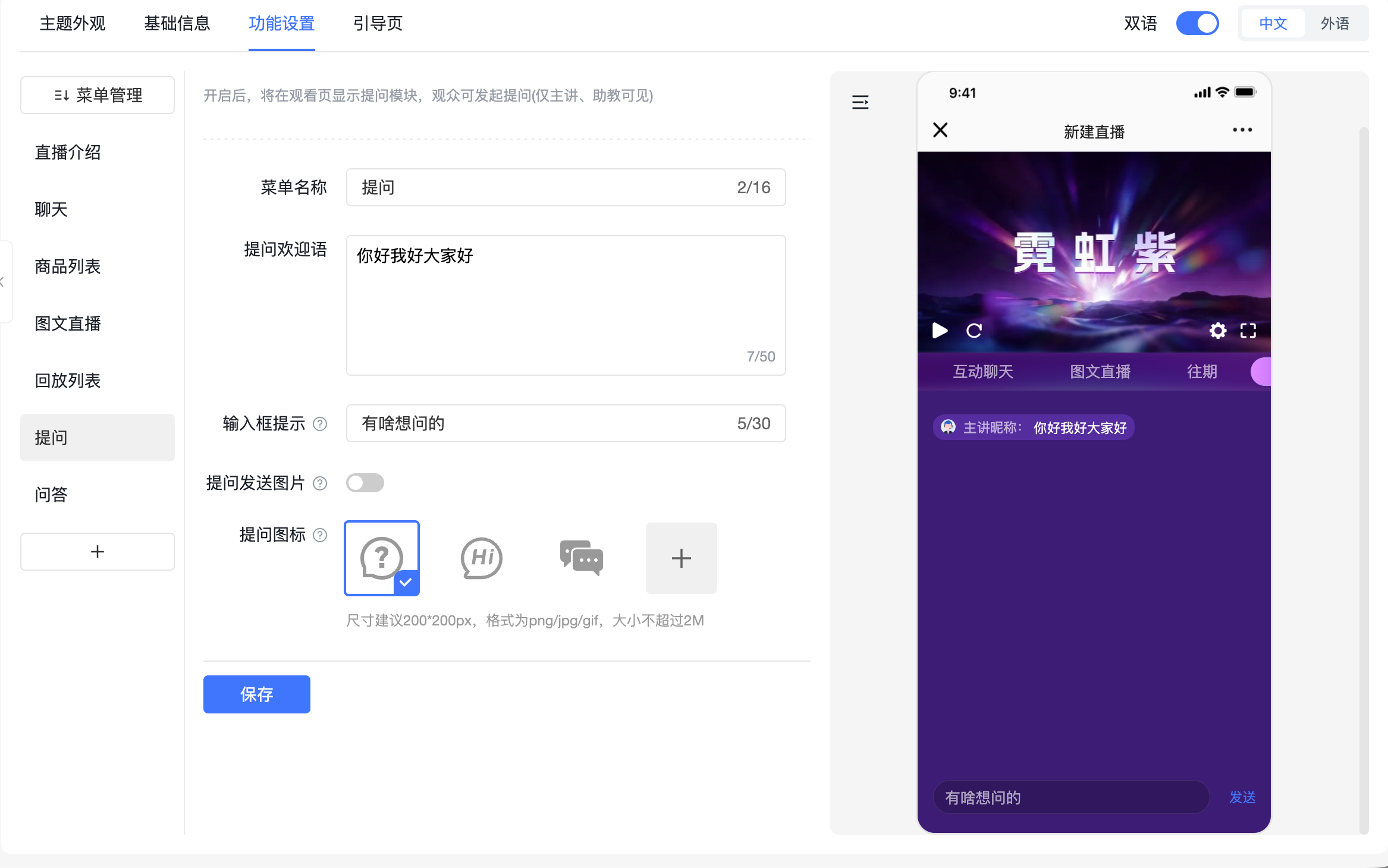
For a remote guest, separately test participation and audio so that both audiences can hear the contribution without duplicate pickup. Select webinar collaboration or enterprise live streaming according to the interaction required.
04 Adapt service entries to the viewing environment
An on-site attendee can scan a resource code, while someone already watching on a phone may prefer a link. Choose the action with the viewer’s current device in mind.
POLYV offers ordinary link cards and QR-code cards. Connect them to resource pages, consultation forms, or the appropriate WeCom service entry, with a clear description of the next step. On-site and online entries can retain separate source references for analysis.
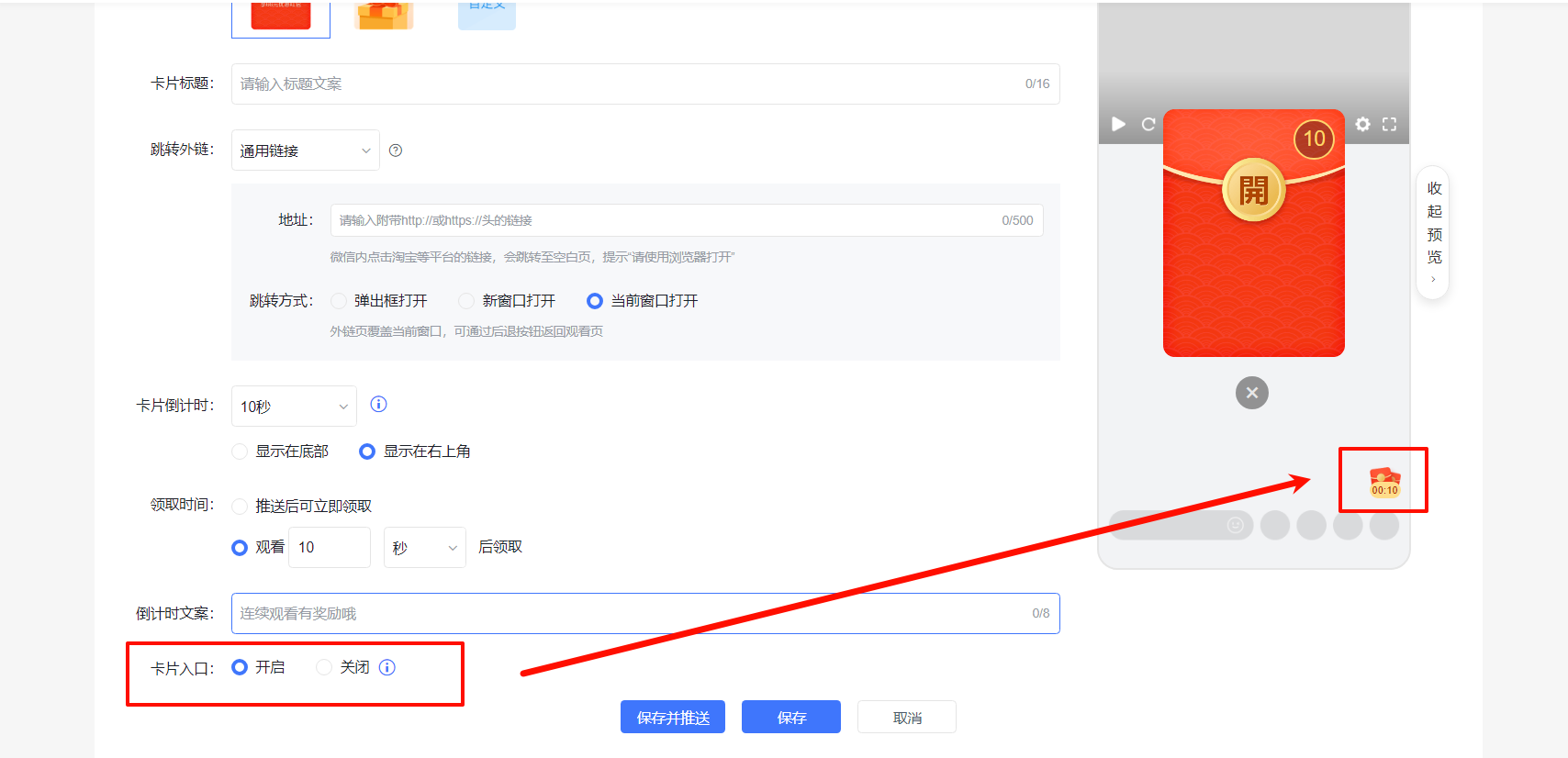
Distinguish resource requests, technical questions, and explicit appointments. Record on-site verbal requests through the agreed process as well, so they can be handled alongside online requests.
05 Prepare a replay that works independently
Venue recordings can include waiting, transitions, and informal conversations. Review permissions and material versions, add section descriptions, and edit irrelevant gaps where needed so that later viewers can understand the content without having attended.
POLYV Video on Demand supports video management, and aggregation pages organize replays with supporting resources. Define replay access and verify links and service entries. Remove obsolete instructions that only applied during the physical event.
Review customer questions before retaining them in public content. General questions can be converted into written explanations that restore missing prerequisites or clarify a fast spoken answer.
06 Evaluate the two experiences separately
Report on-site attendance, online viewing, and replay use separately, then deduplicate only where identities can be reliably related. Their sum is not automatically a count of distinct customers.
Online review should examine playback, questions, and entry use. On-site review should examine reception, discussion, and staffing. Explicit consultation and completed service can be shared measures if request definitions and ownership are consistent.
Make improvements specific. Unhandled remote questions require a better handoff; unreadable materials require presentation changes; missed requests require routing changes. Adjust both configuration and operating procedures.
The host should announce the current segment, question route, and return time after breaks. Synchronize online information when the on-site agenda changes, because remote viewers lack the room’s contextual cues.
Prepare a communication path for equipment or network problems and record content that needs later delivery. Subsequent service should reflect how a customer participated rather than assuming every viewer experienced the full physical event. Keep signage, viewing pages, and invitations consistent, with a named owner for changes.
07 Frequently asked questions
7.1 Is one camera sufficient?
It depends on the presentation and discussion. Single-speaker delivery and multi-person salons have different audio and visual needs. Verify through remote testing.
7.2 Should online and on-site attendees use the same form?
They can share necessary information, but participation mode should be explicit. Collect the fields required for each service.
7.3 Should the entire recording be published unchanged?
Review permissions, accuracy, and continuity first. Provide clear descriptions and organize transitions and materials so later viewers can understand it independently.
08 About POLYV
POLYV provides enterprise live streaming, remote collaboration, questions, cards, and video management. B2B teams can use these capabilities to extend in-person salons with a deliberate remote viewing, participation, and consultation experience.