Livestreaming Today’s Fresh Food in an Existing WeChat Mini Program
摘要: A fresh-food brand can add livestream shopping to its ordering Mini Program while checking current stock, delivery areas, cutoffs and sold-out product routes.
A fresh-food brand with an established WeChat ordering Mini Program can add a livestream to show fruit, vegetables or seafood arriving today. The difficult part is keeping the room’s product story aligned with actual stock, delivery areas and order cutoffs. A standard POLYV WebView H5 viewing page can help test one event quickly. For deeper connection between viewing, product cards, login and the brand’s order pages, assess the native WeChat viewing-page SDK. A uni-app project targeting mp-weixin can assess POLYV’s native WeChat viewing component. A playback plugin alone does not synchronize inventory or fulfill orders.
The purchase path is: watch today’s arrival, confirm the viewer’s area can buy it, open the correct SKU, place an order against current stock and receive the correct delivery window. The fresh-food system remains the source of truth for price, inventory, geography and fulfillment.
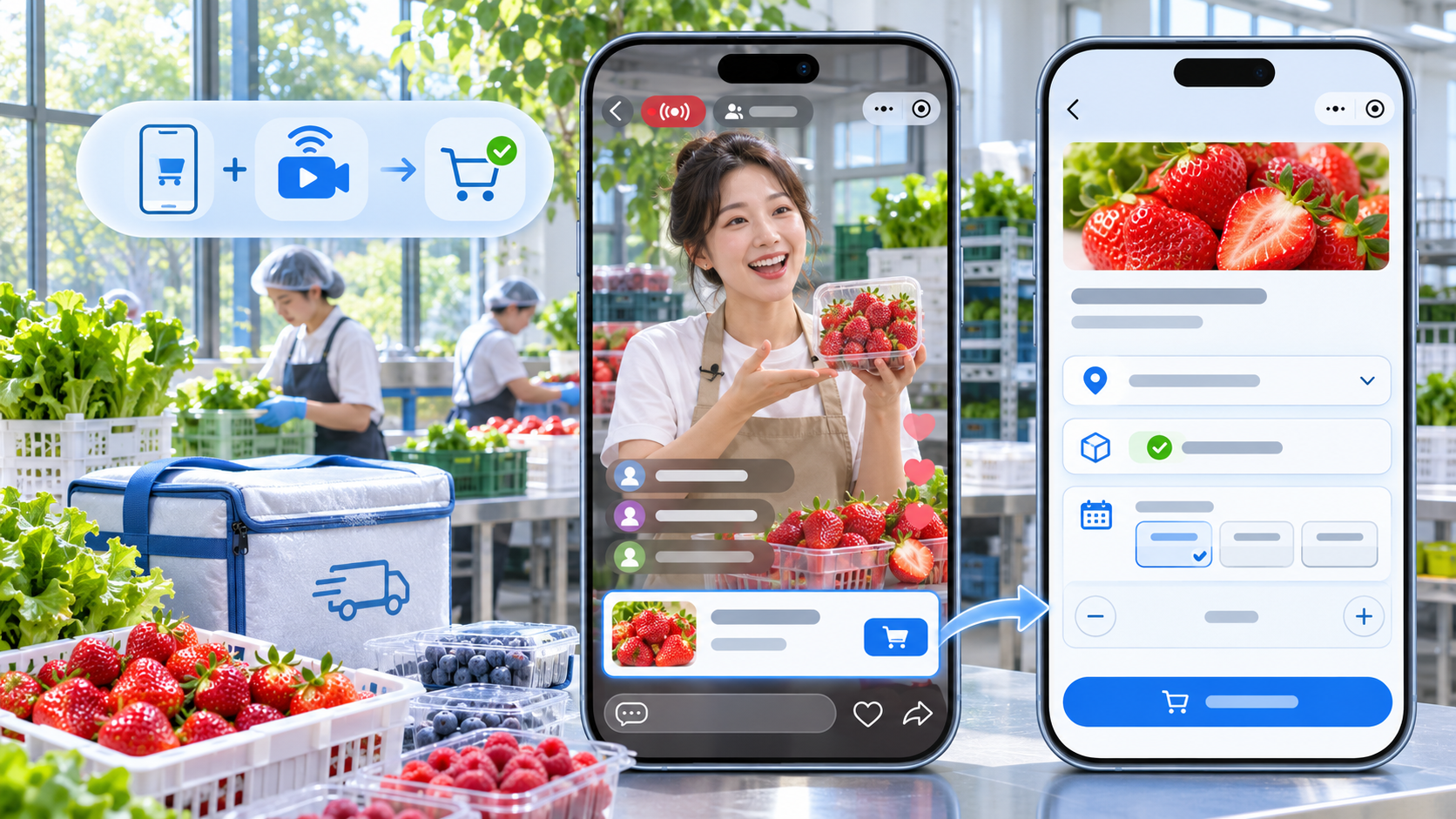
01 / Decide how much of the experience belongs in the room
If the brand only wants a video of the origin or packing process on an existing page, a playback plugin or component may suffice. If viewers should ask questions, use product cards and follow access rules within a complete room, assess a viewing-page solution. POLYV’s Mini Program guide distinguishes playback-only and full-room routes, while its solution page describes embedding private livestreaming in an existing merchant Mini Program.
Before implementation, answer three business questions. Is stock pooled across all viewers or held by individual stores? Does an address, selected store or group organizer determine whether an item is sellable? At what time does the “today’s arrival” offer expire? These answers determine where a product card should lead. A room that plays smoothly but sends a shopper in an unsupported area to an unavailable item does not complete the commerce journey.
| Fresh-food situation | What the room can present | What the brand’s system decides |
|---|---|---|
| Limited arrival today | Product story and shopping entry | Store or area stock and sold-out state |
| Next-day delivery reservation | Delivery-window explanation | Coverage, order cutoff and capacity |
| Weight-based or multiple sizes | Understandable variant description | Final SKU, pricing and checkout rules |
| Origin pre-order | Origin and expected dispatch message | Sellable area, fulfillment and after-sales |
The brand’s ordering system should reconfirm anything that affects purchase at the destination page. A room should not become a competing, long-lived price or stock database. POLYV’s newer native viewing-page SDK is described as a portrait route in the current guide. Check the delivered version before designing a landscape origin broadcast or special layout.
02 / Build a campaign-product-store-time mapping
Each fresh-food event needs an event ID, channel ID and product IDs mapped to the right store or warehouse. For daily arrivals, add start, cutoff and withdrawal times. Before the operator features an item, the commerce team verifies that the relevant areas can buy it. When it sells out, the ordering page should show the current status or an approved alternative rather than letting the room imply availability indefinitely.
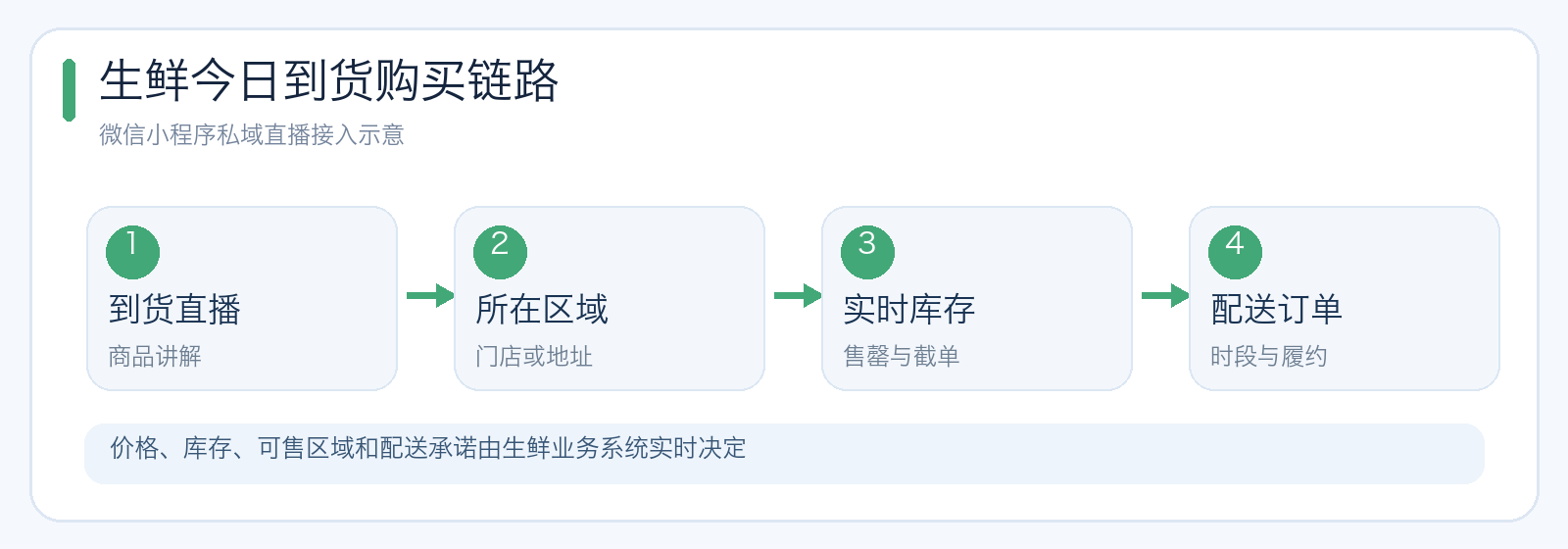
If a broadcast serves several cities, the ordering Mini Program should use the viewer’s selected store or address to decide which detail page is valid. Avoid treating city, store and price as permanent text inside the livestream. For weight-based products, explain the range in the presentation; the brand’s order system handles final pricing and any later adjustment under its own rules. The operator must also verify that the batch being shown maps to the batch or SKU being sold.
When viewers enter from WeChat groups, retain the campaign and city context through login. Link viewing and mall identities with stable server-side identifiers. Do not place phone numbers, addresses or long-lived secrets in a livestream URL. Record product clicks separately from paid orders, and use the order system for refunds and delivery failures.
03 / Test sold-out and return cases while selecting the route
WebView H5 suits a quick standard-room test, but requires domain, web-to-Mini-Program navigation and login-return checks. The native viewing-page SDK gives a host Mini Program more direct control over its own commerce routes, at the cost of additional event and lifecycle integration. For an existing uni-app WeChat project, POLYV’s integration guide places a native package under wxcomponents and mounts it in the mp-weixin page. The package is specific to the WeChat build; other platforms use their corresponding routes through the developer center.
Write expected results before coding for these cases: the product has just arrived; two viewers try for the last unit; a sold-out card is still clicked; the viewer changes city or store; the cutoff passes; a share link is reopened after the event; payment fails and the viewer returns to the room. This makes it possible to locate a defect in the viewing component, navigation, stock query or fulfillment service.
POLYV’s Mini Program background small-window playback guide can support a test where the shopper browses products while still listening. The native room requests playback through its current player, whereas the WebView livestream route uses a native intermediary page. Actual behavior depends on the WeChat base library, OS, AppID category and permissions, channel switch, player state and integration route. Test iOS and Android devices; the documented WebView route currently covers livestreaming.
04 / Run one “today’s arrival” pilot
Use one store-stock fruit SKU and one reservation-delivery SKU rather than importing the entire catalog. Before going live, the product team verifies area coverage, quantity, cutoff and alternative wording; engineering checks the channel and product route; customer service prepares sold-out and delivery answers. If stock changes during the event, let the ordering system publish the new state, then ask the host and operator to adjust the presentation.
After the event, open the replay as a shopper would. “Today’s arrival” is now historical, but a shared replay may still attract visitors. The campaign should have a clear ended state, and its product card should land on a currently valid page or follow the mall’s withdrawal rule. Collect support cases such as “detail page had stock but checkout failed” and trace the product card, stock lookup, reservation and fulfillment service. Measure fulfilled paid orders separately from clicks, cancelled orders and stock-related refunds. Reuse the results before expanding to more cities or SKUs.
05 / Frequently asked questions
Does adding a livestream plugin automatically sync store inventory? No. The brand needs a defined stock source and integration or destination-page check with its own commerce system.
Can a brand without live-player permission still assess a route? POLYV also documents WebView H5 and some video-based native options. Their feature range and experience require testing under the merchant’s AppID and WeChat approval.
What happens to a sold-out daily item in replay? Keep the useful product explanation, but make the shopping destination follow the current campaign and catalog state rather than sending viewers to an expired daily offer.
Further reading
The Chinese edition covers the same scenario. For a wider decision framework, see the Mini Program livestream integration overview.