Which Livestream Route Fits a Multi-Brand Department Store Mini Program?
摘要: A department store can compare WebView, native SDK and uni-app routes, then map brand channels, product pages, store pickup and order ownership.
For a department store with an existing WeChat mall, adding livestreaming is an organizational and commerce integration task. Each brand and counter may have a different operator, catalog, promotion, payment owner and after-sales team. A store that needs a one-off multi-brand campaign can first assess a standard WebView H5 viewing page. A store planning continuing brand-led broadcasts and deep member, product and analytics integration should assess POLYV’s native Mini Program viewing-page SDK. If the existing mall is compiled from uni-app to mp-weixin, POLYV’s native WeChat viewing component is another route. The final choice depends on the store’s AppID permissions and operating model.
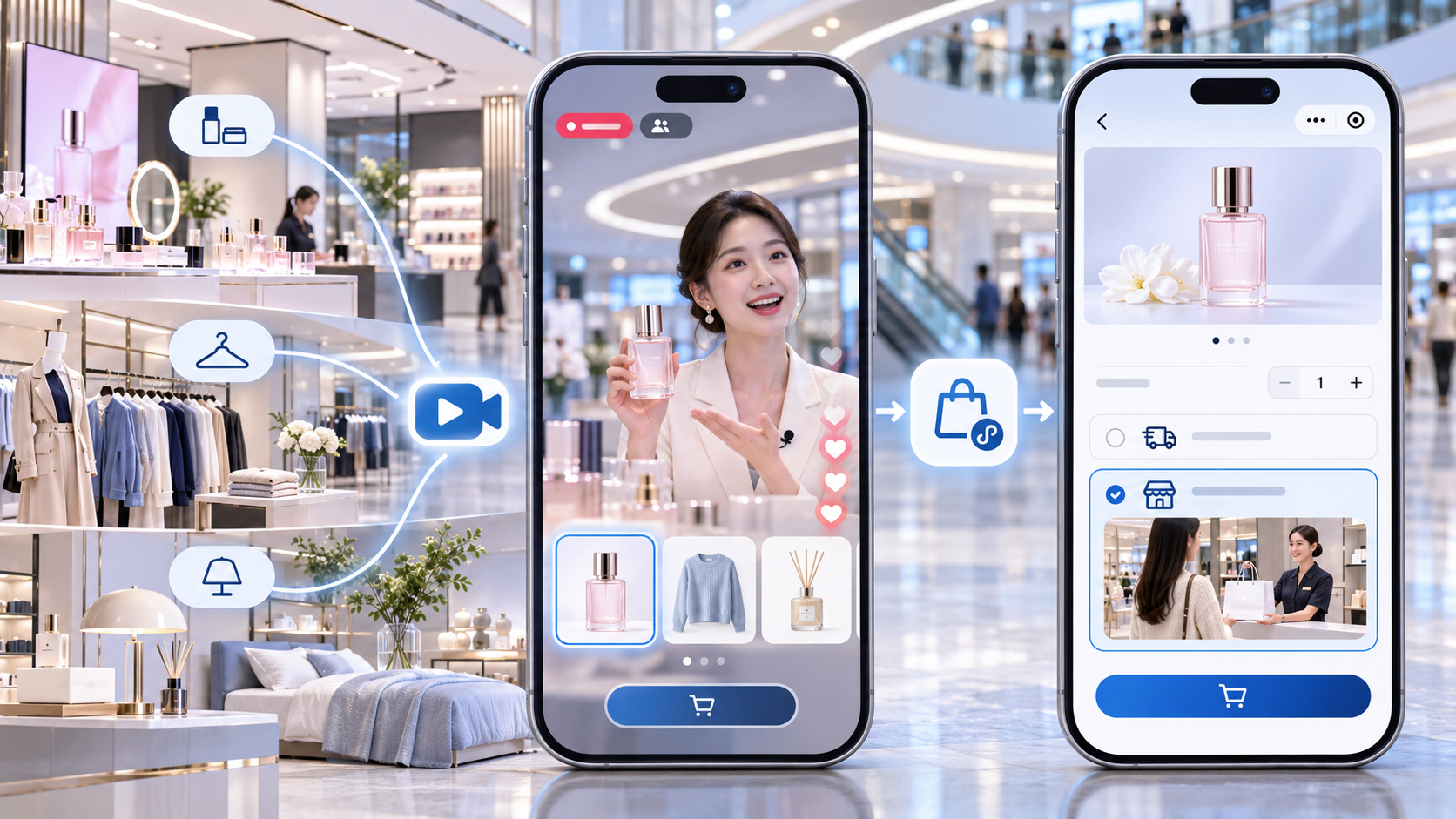
Decide who broadcasts, who manages each product, who receives an order and who fulfills it before choosing the viewing page. A room can show video, chat, interactions and product touchpoints; the mall remains responsible for catalog, prices, checkout and pickup rules.
01 / Choose an integration route from the operating model
There are at least three common formats. A central department-store channel may feature multiple brands in one event. Each counter may run its own channel under a shared mall entry. Or a seasonal campaign may have a central room plus brand-specific sessions and replays. These models need different channel counts, permissions and product mappings. Placing the same undifferentiated room on every brand page is unlikely to solve them.
POLYV’s Mini Program solution page describes WebView, native SDK and plugin-plus-SDK routes. The selection guide separates a playback-only plugin from a full viewing page. A department store should ask whether it needs the complete room, whether a standard H5 page is acceptable, how directly product cards must open its mall, and whether multiple brand teams need operational access. Playback alone may fit an existing campaign page; a complete commerce room requires more than a player. Plugin eligibility, live-player permission and any other required capability must be verified with the store’s own AppID and WeChat review.
| Department-store requirement | Route to assess first | Essential integration check |
|---|---|---|
| One campaign with a short lead time | WebView H5 viewing page | Business domain, login entry and product navigation |
| Continuing brand-led broadcasts | Native viewing-page SDK | Channel ownership, mall routes, sharing and analytics |
| Mall built with uni-app for WeChat | mp-weixin native viewing component |
wxcomponents, host events and brand routing |
| Existing page needs video only | Playback plugin or player component | Store builds shopping and interaction around it |
WebView loads a web page, not a raw SDK. If the store builds a custom H5 viewing page with the Web viewing-page SDK, the SDK runs in that H5 page and the Mini Program WebView loads the finished page. POLYV’s newer native viewing-page SDK is described in its guide as a portrait-livestream route. Verify a landscape fashion show or unusual layout against the delivered version before committing the visual design.
02 / Map brand, channel, product and order ownership
The first working document should pair campaign ID, channel ID, brand or counter ID, product SPU/SKU, destination page, price-and-stock source and order owner. When the main room moves from beauty to home products, each product card should open the correct brand detail page. A counter’s share card should lead back to that counter’s event rather than to a generic mall homepage.
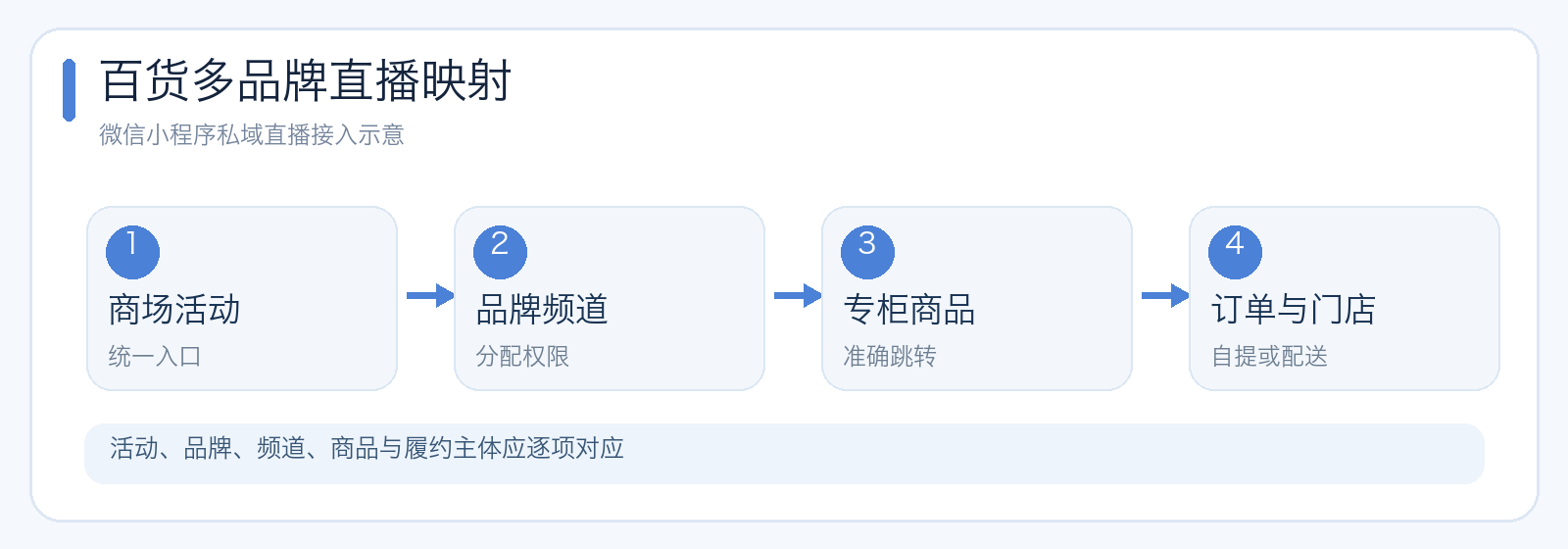
With multiple merchants, do not use the livestream layer as a second long-term source of price and stock. When a viewer clicks a card, the mall should check the current product state before opening a purchasable detail page. The mall also calculates whether an item supports delivery or store pickup, which store has stock and which after-sales policy applies. The viewing page supplies a shopping touchpoint without bypassing existing checkout rules.
Permissions should follow the same operating model. A central team can own campaign scheduling, while brand teams manage only their own rooms and products. Associates may share links without being able to change prices. The store defines these rights and audit logs in its own systems, while POLYV supplies the relevant channel and viewing capabilities. Keep test and production channels separate to reduce accidental changes during a live event.
03 / Preserve the counter through login, sharing and reporting
A viewer may watch a room, then reserve an item for pickup, ask an associate a question or pay online. Preserve campaign, channel, brand, counter and store-source identifiers for each relevant action. Use the mall’s existing member login; after login, return to the original brand room. A shared Mini Program card should have a usable landing route, but should not expose long-lived secrets or sensitive member data in its parameters.
Separate reporting into viewing-side entries and watch behavior, product-side clicks and detail-page arrivals, and mall-side orders, payments and refunds. Connect these layers using identifiers agreed by operations and engineering. The store decides attribution: a click in a multi-brand event is not automatically an order for the brand last shown on screen.
POLYV offers Mini Program background small-window playback. It is relevant to the path from a central room to a product page and back. The native room requests background playback through its active player; the WebView livestream route uses the documented native intermediary page. Results depend on WeChat base-library and OS versions, service category and permissions, channel settings, player state and route. Test on target iOS and Android devices. The documented WebView path currently covers livestreaming rather than every replay scenario.
04 / Pilot with one central room and two brands
Start with two brands under different commercial owners and two items per brand. Include both home delivery and store pickup. Enter from the mall homepage, a brand page and an associate’s share card, then record source attribution. Switch featured products during the broadcast, test a sold-out card, buy through the detail page and return to the room. After the event, check that replay product cards still point to valid pages.
Engineering acceptance includes channel access, product mappings, expired login, share return, weak-network re-entry and page lifecycle. Operations acceptance includes product claims, counter ownership, coupon boundaries, after-sales responsibility and the reporting definition. A repeatable handoff sheet should record approval from the brand, mall operations, engineering and customer service. When a brand withdraws an item, there should be a logged way to disable its card before the next shopper clicks it.
05 / Frequently asked questions
Can all brands share one channel? A central campaign can, but separate schedules, permissions and reporting may call for separate channels. Decide based on the operating structure.
Must a uni-app mall be rebuilt? No. POLYV’s uni-app WeChat guide mounts a native component in the mp-weixin output. The existing mall retains routing and commerce. Other platforms require their corresponding SDKs through the developer center.
Is store pickup configured inside a playback plugin? Store selection, inventory and fulfillment are mall-order rules. They must be connected and tested with the viewing-room product touchpoint.
Further reading
The Chinese edition covers the same scenario. For a wider decision framework, see the Mini Program livestream integration overview.