Beauty Member Mini Program: Which Livestream Plugin Supports WeChat Sales?
摘要: A beauty brand with a member Mini Program can compare playback plugins with full viewing rooms, then test shade-page navigation, member login and checkout.
A beauty brand with an established WeChat member Mini Program may ask which livestream plugin it should install. The useful first question is whether the brand needs video playback alone or a complete viewing room that connects product cards, chat, membership and its existing checkout. POLYV offers a Mini Program playback plugin, a native viewing-page SDK, a WeChat component for uni-app projects and a WebView H5 viewing page. The right route depends on the brand’s Mini Program architecture, WeChat permissions and the product route in its own mall.
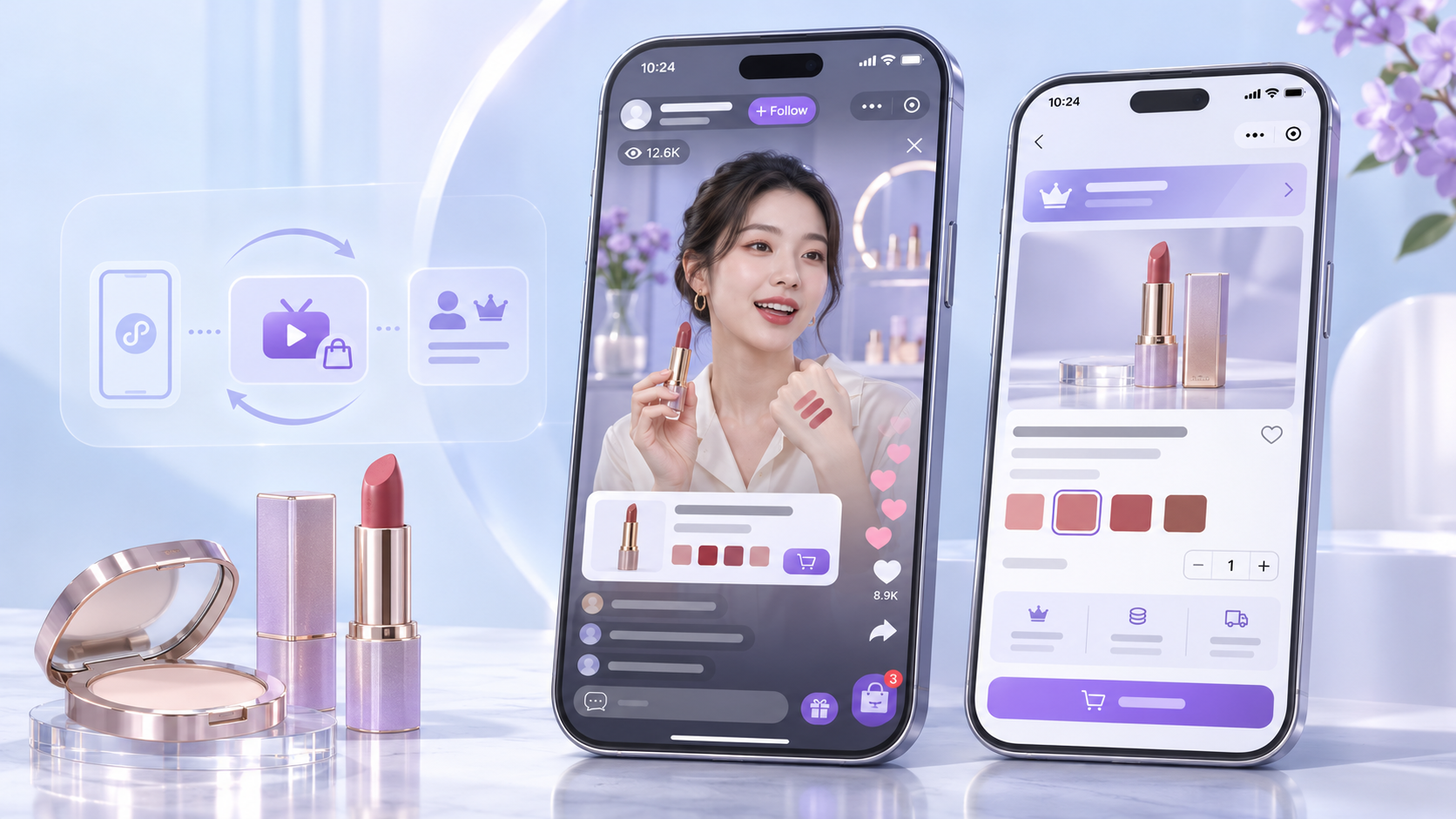
Map the journey before choosing a plugin: a member enters the livestream, watches a product demonstration, opens the correct shade page, buys through the brand’s mall and returns to the room. A playback plugin covers only one part of this journey.
01 / Separate the player from the shopping room
“Add a livestream plugin” can mean three different projects. A brand may place video in an existing campaign page and build the chat and shopping interface itself. It may embed a complete viewing room with playback, interaction and product touchpoints. Or it may open a standard H5 room inside a Mini Program WebView to test an event quickly.
POLYV’s Mini Program solution guide distinguishes the playback-only plugin from the newer native viewing-page SDK. The Mini Program solution page also describes WebView, native SDK and plugin-plus-SDK integration paths. For an existing beauty mall, a player that starts successfully is not proof that members can select a shade, use a coupon or place an order.
| What the brand needs | Route to assess first | Work left to the brand |
|---|---|---|
| Video inside an existing campaign page | Playback plugin or player component | Build shopping UI, interaction and analytics; verify plugin eligibility |
| A standard room launched quickly | WebView H5 viewing page | Configure domains, login entry, product navigation and sharing |
| Deep integration with the member mall | Native Mini Program viewing-page SDK | Connect member identity, product routes, shares and attribution |
| An existing uni-app project compiled to WeChat | uni-app WeChat viewing component | Add wxcomponents and handle host-page events |
The “Polyv观看” plugin has specific service-category and authorization requirements. The live-player route also depends on WeChat category and component permission. A video route does not require live-player permission, but its supported experience must be tested for the selected project. The brand must verify these conditions under its own AppID and follow WeChat’s actual approval result. POLYV’s guide currently positions the newer native viewing-page SDK for portrait livestreams; a landscape show or unusual layout should be checked against the delivered version before design begins.
02 / Connect the room to five member-commerce actions
Beauty products often have shades, sizes or gift-set variants. A “buy” button that opens the general mall homepage is a weak handoff. The commerce and engineering teams should map campaign ID, channel ID, product SPU/SKU and destination page. A lipstick demonstration should open a page where the viewer can select the demonstrated shade. A gift-set segment should open the corresponding set, not an unrelated single item. Prices, stock, discounts and final orders remain in the brand’s commerce system.
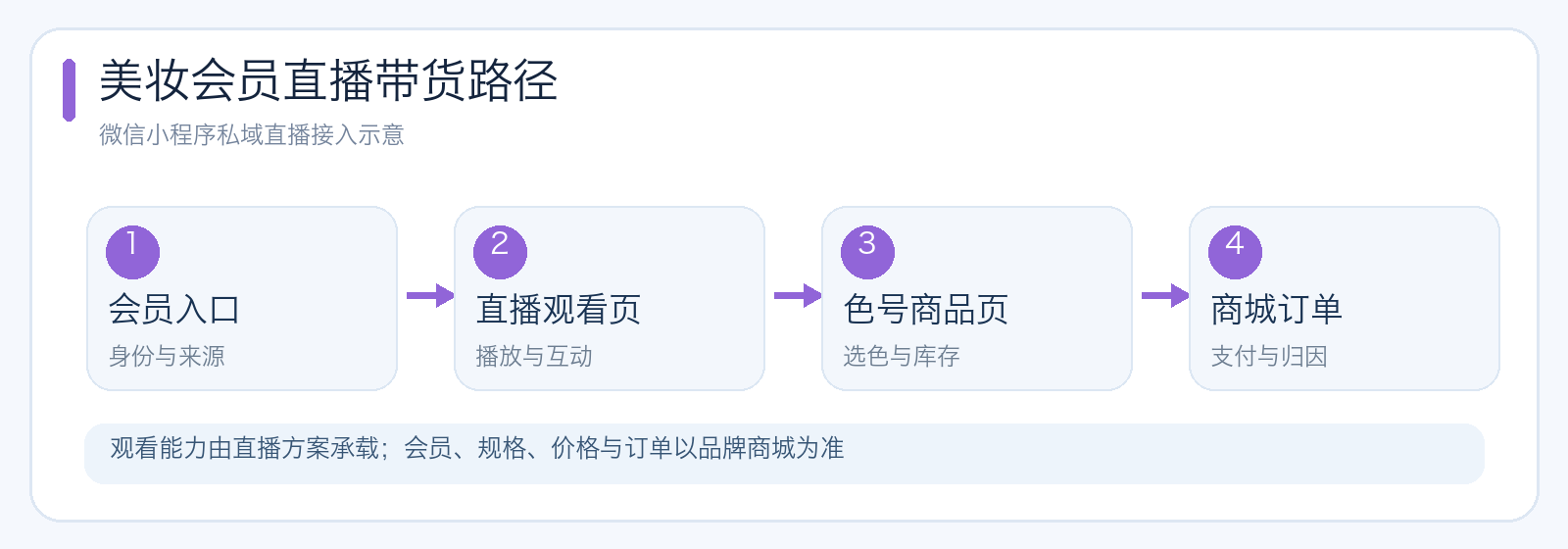
First, preserve the entry source. A member-center tile, a store associate’s share card and a WeChat group message may all reach the same room, but the brand should know which route each visitor used. Second, define login behavior. Decide whether anonymous viewing is allowed, what happens when a login session expires and how a returning member reaches the same channel. Membership tiers must be enforced by the brand’s business service rather than by a front-end label alone.
Third, connect product cards to real mall routes. With WebView, test the H5-to-Mini-Program transition and domain settings. With a native viewing page, let the host Mini Program handle its own navigation. Fourth, define attribution on the server: which campaign, member, product click and paid order belong together, and how long that relationship remains valid. Fifth, test the return journey after shade selection, coupon use, failed payment and successful payment. The room should reopen with an expected player and chat state.
POLYV supplies viewing capabilities and commerce touchpoints. Member benefits, master product data, payments, stock and after-sales rules stay with the brand. Use stable identifiers to connect the two sides rather than copying long-lived price or stock values into the livestream layer.
03 / Test one launch with one shade product and one set
A first proof of concept does not need the entire catalog. Choose one lipstick with multiple shades and one gift set. Verify channel status, live playback and replay, then test that each product card reaches the right page. Cover signed-in, signed-out, expired-session and share-card entry states. Test in-stock, out-of-stock, withdrawn and coupon-ineligible product states. This separates component defects from mall rules.
POLYV provides a Mini Program background small-window playback guide. If shoppers should keep listening while browsing products, add this to the POC. A native viewing page requests background playback through its current player; the WebView livestream route uses the documented native intermediary page. Results depend on WeChat base-library and OS versions, the Mini Program’s category and permissions, the channel switch, the player state and the chosen route. Test on target iOS and Android devices. The current WebView guide confirms a live-stream route and should not be extended to replay without separate validation.
Before launch, compare the associate’s share message with the actual products in the room. After the event, check that replay product cards do not send shoppers to expired campaign pages. Retain a test channel, test member, test order and rollback plan. Avoid changing the component package immediately before a scheduled broadcast.
For reporting, distinguish views, product-page arrivals, add-to-cart actions, paid orders and refunds. Decide whether first entry or the most recent pre-order visit controls attribution. A popular shade may have attracted clicks but lost buyers because its linked SKU was out of stock. That is a different fix from changing the player.
04 / Frequently asked questions
Does adding the “Polyv观看” plugin immediately create a beauty shopping room? The plugin primarily addresses playback. A complete commerce journey also needs the viewing-room experience, product mapping, membership and the brand’s checkout. Plugin category eligibility and authorization must be checked.
Must an existing native Mini Program be rebuilt in uni-app? No. A native project should assess the corresponding native SDK. POLYV’s uni-app WeChat component is for projects compiled to mp-weixin; other platforms use their respective paths in the developer center.
Will the livestream automatically synchronize mall prices and stock? The brand must specify the source of truth and implement the required API or navigation checks. A product visible in a viewing room does not mean orders are integrated.
What should the first acceptance run cover? Login, shade-page navigation, coupon rules, payment and return to the livestream, on actual iOS and Android devices.
Further reading
The Chinese edition covers the same scenario. For a wider decision framework, see the Mini Program livestream integration overview.