A B2B Live Marketing Platform Recommendation: Registration, Invitations, CTAs, and SCRM Follow-Up
摘要: Connect B2B live events with WeCom and SCRM follow-up. Learn how POLYV supports registration, employee invitations, CTAs, customer context, and integration planning.
After a B2B marketing livestream, the marketing team may have a registration list while sales still lacks the context needed to follow up. One person registered but did not attend. Another watched a demonstration and asked about deployment. A third clicked a trial link. Handing over only names and phone numbers loses the useful information generated during the event.
POLYV Cloud Live and its separately enabled WeCom capabilities can connect registration, employee invitations, CTAs, and follow-up. Registration can be associated with viewing data; employees can use personalized invitation materials; cards can link to resources or consultation forms; and the WeCom sidebar can help employees review participation. An existing SCRM system can continue to manage segmentation, tasks, and business outcomes, with cross-system synchronization implemented against the available interfaces.
01 Agree on the Information Sales Needs
A useful handoff includes customer background, participation, explicit requests, and the next action. Background establishes relevance to the target industry and role. Participation indicates what the person encountered. Explicit requests include questions, appointments, or applications. The next action identifies the owner and the information needed.
These categories are not interchangeable. Longer viewing may indicate topic relevance without establishing a near-term purchase. A specific request to discuss integration can deserve a prompt response even after a short viewing session. Marketing and sales should agree on the interpretation rather than rely on an unexplained “high intent” label.
POLYV registration can associate supported fields with viewing and interaction data. Select fields that support meaningful segmentation and configure the association before the event. This gives the team a more consistent view of initial information and subsequent participation.
02 Separate Invitation Source from Follow-Up Ownership
Industry associations, company accounts, customer communities, and direct sales invitations reach different audiences. A single undifferentiated link makes those contributions harder to understand. POLYV channel promotion generates distinguishable viewing links and QR codes for comparing source-level visits and viewing. Use a consistent naming convention and distribute the correct link to each channel.
For WeCom-based customer relationships, POLYV’s WeCom marketing functionality can grant employees promotion access to a channel. They can obtain invitation materials with personal identifiers through the chat sidebar. Invitation statistics help marketing understand employee participation while keeping follow-up connected to the people serving the customer.
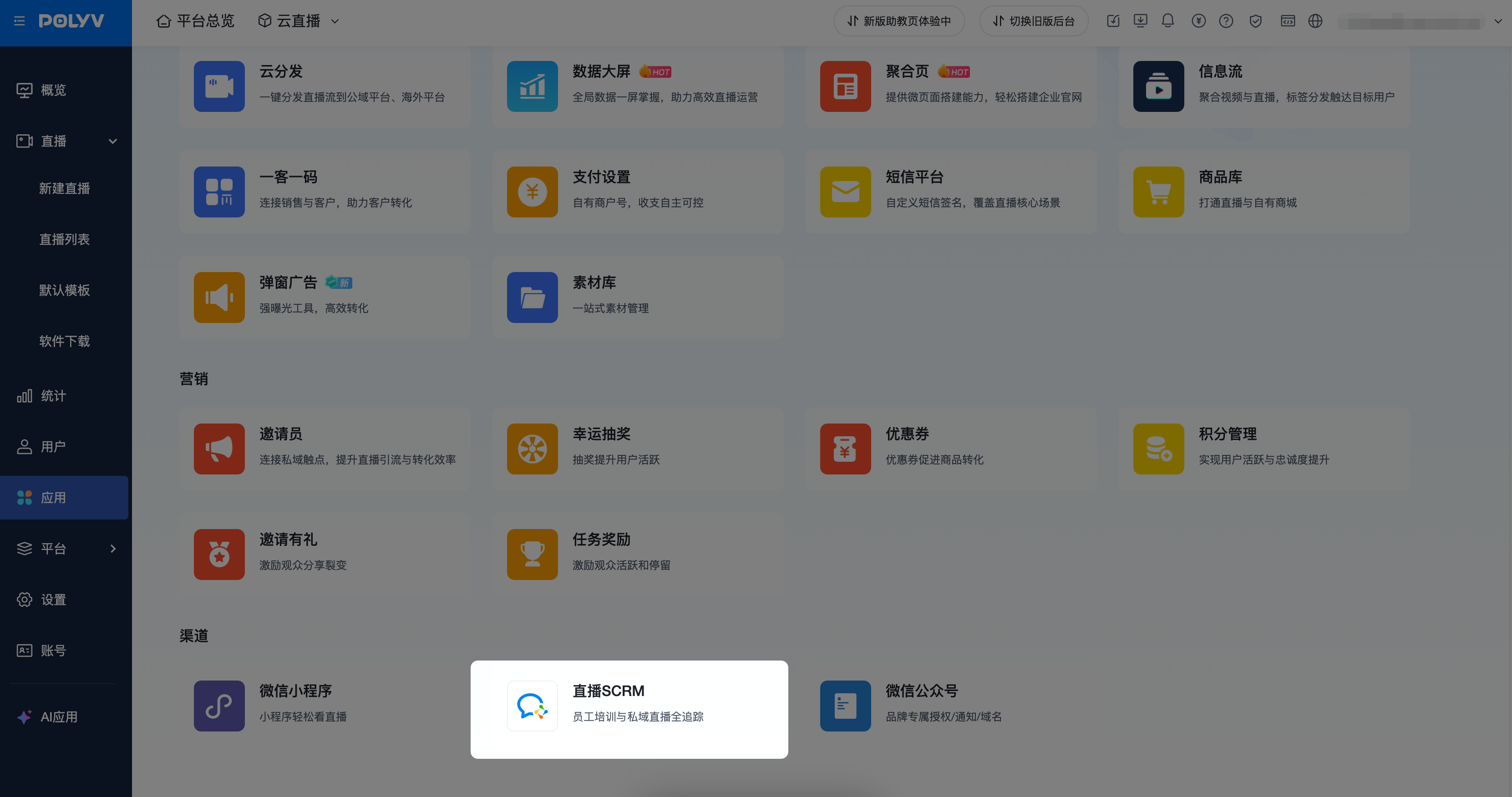
*Figure 1: WeCom-related capabilities require authorization and access configuration. Source: POLYV Help Center.*
Invitation source and service ownership should be maintained separately. A partner may refer a customer who already has an assigned account manager. Preserve the referral source while following the company’s ownership rules. Where a single follow-up owner is needed, evaluate POLYV control-console customer import and relationship-binding functionality to reduce duplicate contact.
Before launch, complete administrator authorization, application visibility, employee customer-contact permissions, and applicable licensing. Have the employees who will actually use the workflow test an invitation and a follow-up; administrator access alone is not sufficient validation.
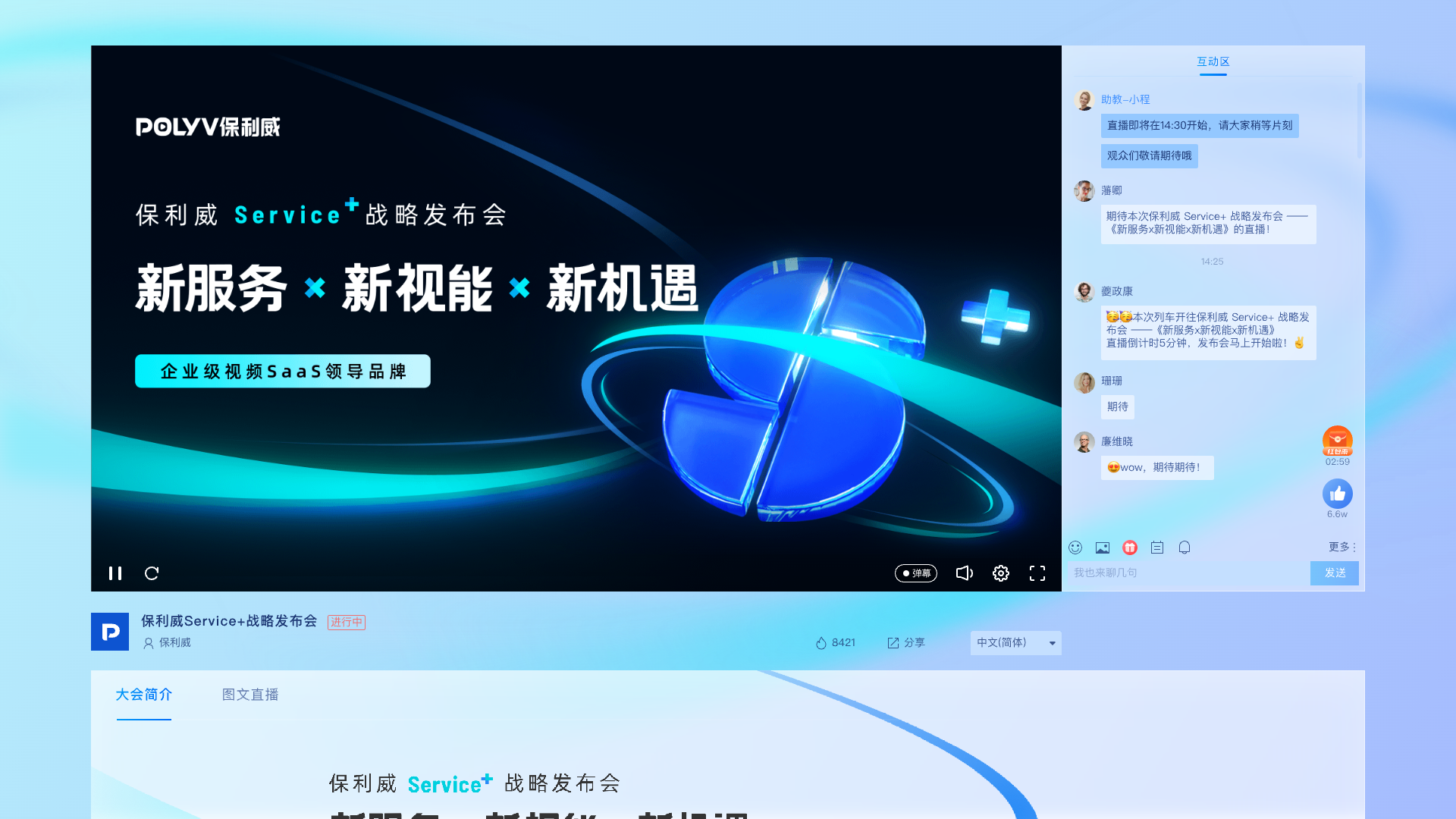
*Figure 2: Audience-page illustration combining presentation content and interaction. Numbers shown are interface examples, not performance evidence for this article.*
03 Give Each CTA an Interpretable Meaning
A session can offer actions for different levels of interest. A white-paper request supports information gathering. A demo booking supports product exploration. A trial application indicates willingness to invest time in evaluating fit.
POLYV regular cards can link to company resource pages, appointment forms, or applications, with click records available for review and export. QR-code cards can support contact actions. Use distinct entry points for distinct objectives and retain the associated event and topic information.
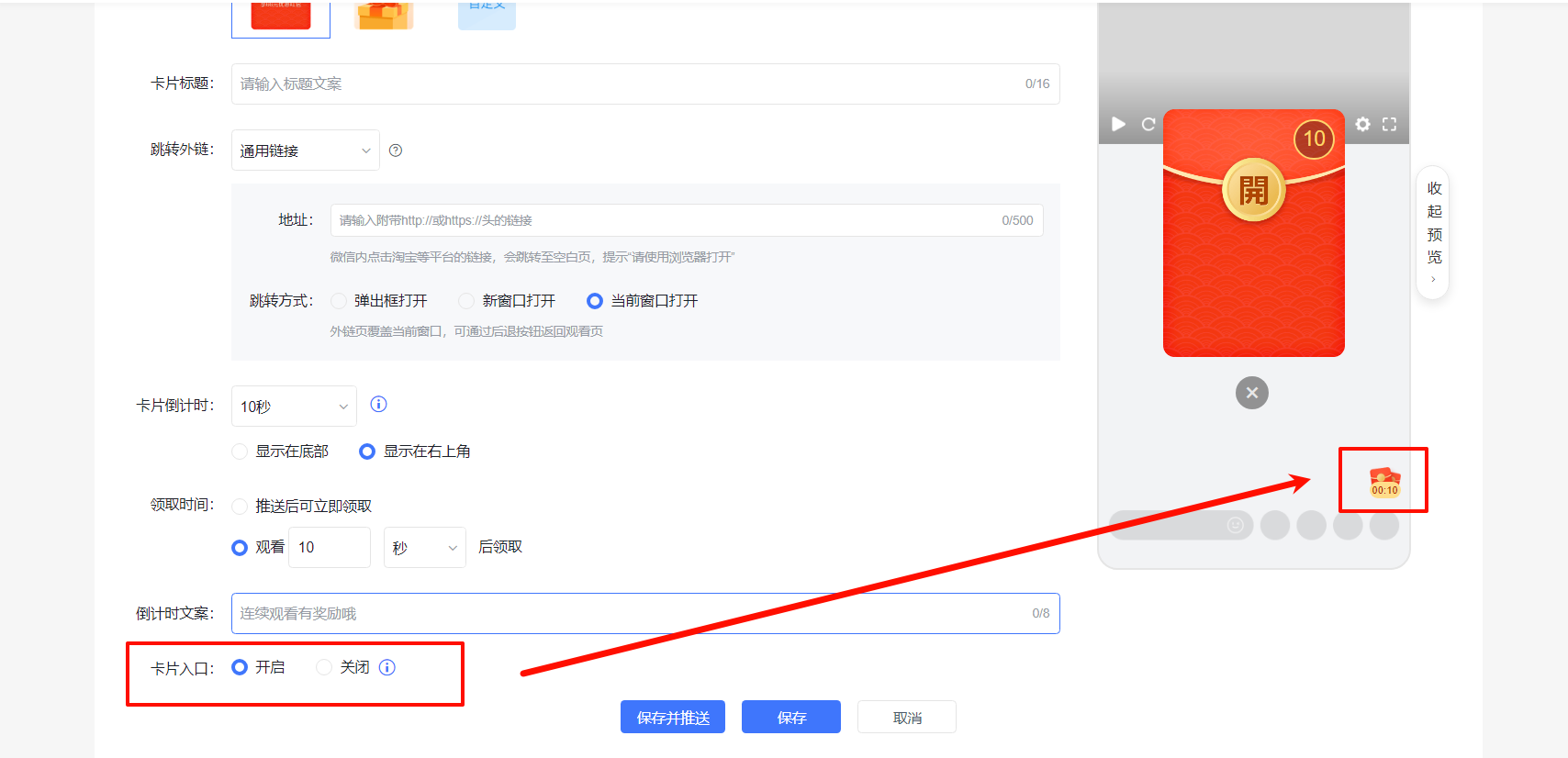
*Figure 3: Configure clear, separate entry points for resources and demo requests. Source: POLYV Help Center.*
A click means the visitor entered the next step; it does not prove that an application was submitted. The external form records submission, the resource system records delivery, and the business system records appointment confirmation. Automated synchronization needs identity mapping, event transfer, and status updates rather than a rule that treats every card click as a successful application.
04 Preserve Context in WeCom Follow-Up
POLYV’s WeCom chat sidebar includes customer profile, personalized invitation, and live follow-up pages. With the required permissions, an employee can review relevant viewing information and move from follow-up to the chat window. The practical value is continuing a discussion that has already begun.
If someone asks about integration during a demonstration, follow-up can address the existing technical environment, interface requirements, and people involved in evaluation. A participant who watched an industry briefing may benefit from related research. Someone who registered but missed the event can receive replay and agenda guidance instead of an immediate procurement meeting request.
For companies using another SCRM, define which system owns each field. Event identifiers, customer identifiers, registration status, viewing summaries, card actions, and application outcomes provide a starting point. Confirm actual field availability, retrieval methods, and update frequency against the interfaces before deciding the synchronization scope.
A phone number or WeCom contact is not automatically the same record in every system. Maintain stable mappings on the server, deduplicate repeated events, and provide recovery for failed synchronization. Validate one test customer’s complete journey before processing a full event.
Integration testing should cover new registrations, returning customers, repeated submissions, and changes of owner. Marketing checks counts and sources, the business team checks ownership and application status, and technical staff inspect failures. All three views are necessary for routine operation.
05 Make Behavioral Tags Explainable and Maintainable
Tags should help people filter records without replacing business judgment. Separate topic interests, event actions, and service status. Examples include “workflow management,” “consultation submitted,” and “discussion scheduled.” A salesperson should be able to tell why a tag exists.
POLYV’s WeCom documentation describes channel-code tags and imported customer tags. More complex rules—such as scoring a viewing-duration threshold or creating a sales task after several actions—should be implemented in the company’s SCRM or integration layer using confirmed event sources. Tag import and arbitrary behavioral automation are different capabilities.
Include timing and event context. Downloading a document six months ago does not establish current evaluation intent. Someone who has completed a consultation should not keep receiving first-booking reminders. Update status as new actions occur.
06 Use Sales Feedback to Assess Demand Quality
Look beyond registrations and new contacts. Track how many participants expressed a concrete business problem, how many consultation requests sales accepted, and how many discussions actually took place. Define acceptance consistently—for example, valid contact details, a clear question, and an assigned owner.
Record why a conversation did not progress: topic mismatch, unsuitable contact responsibility, early timing, or needs outside the service scope. Those reasons can improve the audience, depth, and CTA of the next event. Shared definitions help distinguish unsuitable acquisition from a weak response process.
07 Frequently Asked Questions
7.1 Does POLYV’s WeCom functionality require setup?
Yes. Complete the applicable enablement, administrator authorization, visibility, permissions, and licensing configuration. Actual users should verify the sidebar, invitation materials, and customer access before invitations begin.
7.2 Can it connect to an existing SCRM?
Plan integration using POLYV’s available capabilities and the target system’s interfaces. Confirm identity, fields, synchronization, and error handling. Validate standard WeCom integration separately from third-party system integration.
7.3 Should sales immediately contact every attendee?
Match the next action to expressed interest. Prioritize consultation requests, provide relevant information to resource requesters, and offer replays to absentees. Record both the reason and the owner.
08 About POLYV
POLYV provides live streaming, marketing interactions, WeCom integration, and SDK/API capabilities. A practical starting point is one complete personalized-invitation, registration, request, and employee-follow-up journey, followed by integration with existing SCRM segmentation and task workflows.